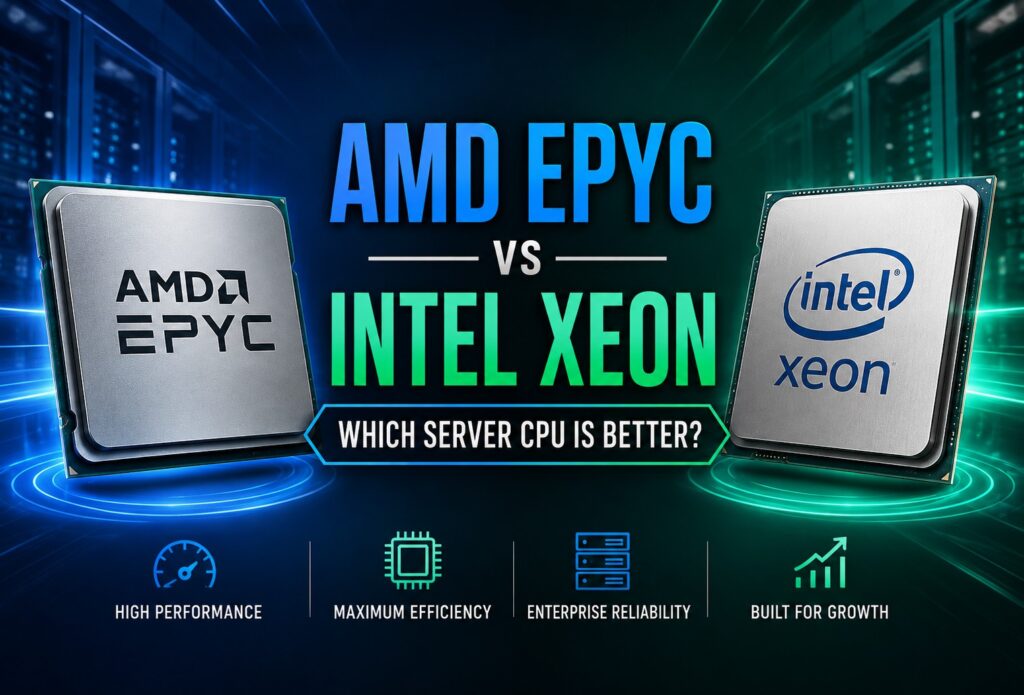
A customer called not long ago looking for a replacement dedicated server. The storage had already been chosen. Memory wasn’t an issue. Network connectivity was settled. The only thing they couldn’t decide on was the processor.
“Should we go with AMD EPYC or Intel Xeon?”
I wish there were a one-sentence answer because it would make everyone’s life easier.
Instead, I asked a few questions.
“What applications are you running?”
“How many people depend on this server every day?”
“Do you expect to virtualize more workloads next year?”
By the end of the conversation, the processor wasn’t really the biggest topic anymore. We were talking about growth, software licensing, storage performance, backups, and how long they expected the server to stay in production.
That conversation isn’t unusual.
Most people begin shopping for a server by comparing processors. I think it’s more productive to begin by understanding what the server is expected to accomplish.
The difference sounds subtle, but it often changes the recommendation completely.
Why This Question Has Become More Interesting
Ten years ago, there wasn’t nearly as much debate.
Intel Xeon was the processor most businesses expected to find in an enterprise server. IT departments were comfortable with it, software vendors optimized for it, and hardware manufacturers built entire product lines around it.
Then AMD changed the landscape.
Instead of trying to beat Intel at every benchmark, AMD introduced EPYC processors that approached the problem differently. More processing cores, more PCIe connectivity, and more memory bandwidth gave infrastructure teams another serious option to consider.
The interesting part wasn’t that AMD suddenly became relevant.
The interesting part was that buyers finally had a real choice.
Competition pushed both companies to improve their products, and today’s servers are better because of it.
That’s good news whether you ultimately choose AMD or Intel.
Here’s Where I Think People Start Looking at the Wrong Numbers
Whenever processor comparisons come up online, the conversation usually starts with specifications.
You’ll see pages full of numbers:
- Core count
- Thread count
- Cache size
- Clock frequency
- PCIe lanes
- Memory channels
Those specifications absolutely matter.
What they don’t tell you is whether the server will actually perform better for your business.
One thing I’ve noticed over the years is that customers rarely complain because they bought too much processor.
They do call when the server wasn’t sized for the workload.
Sometimes the processor gets blamed for problems that have nothing to do with the CPU.
I’ve seen slow database queries caused by storage latency.
I’ve seen applications run poorly because they didn’t have enough RAM.
I’ve even seen websites become dramatically more responsive after fixing inefficient code instead of replacing hardware.
That’s why I always hesitate when someone asks me to compare processors without discussing the rest of the server.
A CPU doesn’t work by itself.
It’s part of a system.
Before Comparing AMD and Intel, I’d Answer These Questions First
Whenever someone asks me which processor they should buy, these are usually the questions that guide the conversation.
- What applications will be running?
- Is virtualization part of the plan?
- Will this server host one workload or many?
- How long do you expect to keep the hardware?
- Could software licensing affect processor selection?
- Is GPU expansion a possibility later?
- Is minimizing operating cost important?
Interestingly, the answers often narrow the choices considerably before we’ve compared a single processor model.
That’s one reason I don’t think benchmark charts should be the starting point.
They’re useful.
They’re informative.
They’re just not where I begin.
Think Beyond the First Year
One question I almost always ask is this:
“If everything goes according to plan, what will this server be doing three years from now?”
Sometimes the answer comes immediately.
Sometimes there’s a long pause.
That’s understandable because most businesses are focused on solving today’s problem.
Today’s application.
Today’s customer demand.
Today’s budget.
But servers are long-term investments.
A processor that comfortably handles today’s workload while leaving room for tomorrow’s growth often turns out to be the better value, even if it wasn’t the least expensive option on day one.
That’s the perspective I’ll use throughout this comparison.
Instead of trying to crown one processor as the universal winner, we’ll look at where AMD EPYC and Intel Xeon each make sense, where they differ, and how those differences affect the kinds of workloads businesses actually run every day.
I suspect that’s the answer most buyers are really looking for in the first place.
Where the Differences Start to Matter
Up to this point, we’ve talked more about how to think about buying a server than about AMD or Intel specifically.
Now let’s put both processors to work.
This is also where I think many online comparisons become too simplistic. They’ll run a dozen benchmarks, average the numbers together, and announce a winner. That’s entertaining if you’re comparing desktop CPUs for gaming. It’s much less useful when you’re spending thousands of dollars on infrastructure that’s expected to stay online for years.
A server has one job: keep your applications performing reliably.
If users aren’t waiting on the system, if databases respond quickly, if virtual machines remain responsive during busy periods, and if there’s room to grow without replacing hardware every year, you’ve made a good hardware decision.
Everything else is secondary.
Virtualization Is Usually the First Big Divider
When someone tells me they’re building a virtualization host, the conversation changes almost immediately.
Instead of asking how fast one application will run, we’re talking about how many workloads a single server can comfortably support.
Questions start sounding like this:
- Can this server handle another twenty virtual machines next year?
- Will memory become the limiting factor before the processor?
- How much room is left for expansion?
- Will storage keep pace as additional VMs are added?
Those are planning questions more than processor questions.
In many virtualization environments, AMD EPYC naturally enters the discussion because its high core counts and generous PCIe resources make it attractive for organizations trying to consolidate workloads. Hosting providers, private cloud deployments, and businesses running dozens of virtual machines often appreciate having additional processing resources available as demand grows.
That doesn’t automatically make EPYC the right answer.
I’ve worked with customers whose virtualization environments were already standardized around Intel. Their monitoring tools, deployment procedures, and operational experience were built around Xeon-based infrastructure. For them, maintaining consistency sometimes offered greater value than changing processor platforms.
It’s another reminder that hardware decisions rarely happen in isolation.
Databases Have Their Own Priorities
Database servers have a way of humbling people.
I’ve lost count of how many times someone assumed they needed a faster processor when the real issue turned out to be something entirely different.
Sometimes it was storage latency.
Sometimes there wasn’t enough memory.
Occasionally an inefficient query was consuming resources that no processor upgrade was ever going to fix.
That’s one reason I hesitate whenever someone says, “What’s the best CPU for a database server?”
My first response is usually another question.
What kind of database?
A lightly used internal business application behaves very differently from a busy e-commerce platform processing thousands of transactions every hour.
Before choosing hardware, I’d want answers to questions like these:
- How many users connect at the same time?
- Is the workload mostly reads, writes, or a mix of both?
- How quickly is the database growing?
- Is storage optimized for database activity?
- Does the software license by processor core?
That last question deserves more attention than many buyers realize.
If your database software charges by the core, selecting the highest-core-count processor available isn’t automatically the smartest financial decision. Sometimes a processor with fewer, but faster cores delivers better overall value because software licensing becomes part of the equation.
Hardware doesn’t exist in a vacuum.
Web Hosting Doesn’t Always Need the Biggest Processor
One misconception I still hear is that web hosting automatically demands the most powerful processor available.
Sometimes it does.
Many times it doesn’t.
If someone asked me what the most common bottlenecks are in a hosting environment, processor performance probably wouldn’t be my first answer.
I’d look at things like:
- Slow storage
- Limited memory
- Poor database optimization
- Resource-heavy plugins or applications
- Inefficient code
- Network congestion
I’ve seen companies replace perfectly good processors when the real performance problem was an overloaded database server or an application making unnecessary queries.
That’s why I encourage people to evaluate the entire platform.
Processor selection is certainly important, but it’s only one part of building reliable infrastructure. Businesses comparing providers should also evaluate network quality, hardware refresh cycles, support responsiveness, and long-term scalability. If you’re beginning your search, our article How to Evaluate a Dedicated Server Provider Beyond Price covers several considerations that are easy to overlook during the buying process.
Think about it this way.
A great processor paired with slow storage is still waiting on storage.
A great processor paired with insufficient memory is still waiting on memory.
Balance matters.
That’s one reason our Dedicated Server Hosting solutions can be configured around the workload rather than forcing every customer into the same hardware profile. Sometimes the biggest performance improvement comes from a better-balanced system instead of simply choosing a larger CPU.
AI Has Changed Server Planning
Five years ago, very few conversations included GPUs.
Today, they come up almost every week.
Artificial intelligence, machine learning, rendering, and other accelerator-driven workloads have changed how people think about server hardware.
Interestingly, AI often shifts attention away from the processor and toward the platform as a whole.
If the server will eventually host multiple GPUs, questions like these become increasingly important:
- Is there enough PCIe bandwidth?
- Can the chassis accommodate additional accelerators?
- Is power delivery sufficient?
- Will cooling support future expansion?
- Can storage feed the GPUs efficiently?
Those aren’t benchmark questions.
They’re infrastructure questions.
And they’re exactly the kinds of discussions that tend to produce successful long-term deployments.
When customers tell me they’re planning AI workloads, I spend less time comparing individual processor models and more time discussing how every major component will work together over the next several years.
That’s usually a much more valuable conversation.
Organizations planning AI, machine learning, rendering, or GPU-accelerated workloads should also evaluate the server platform as a whole rather than focusing only on the processor. PCIe expansion, cooling, power delivery, and storage all play important roles. If your projects require accelerator hardware, our GPU Dedicated Servers are designed to support demanding compute-intensive applications while providing the flexibility to match the hardware to your workload.
Three Mistakes I See People Make When Choosing a Server CPU
After having more conversations about dedicated servers than I could possibly count, I’ve noticed that the same mistakes tend to come up over and over again. They’re rarely caused by buying a “bad” processor. More often, they’re the result of making a decision before looking at the bigger picture.
The good news is that all three are avoidable.
1. Buying for today’s workload instead of tomorrow’s
It’s understandable. Most businesses are trying to solve an immediate problem.
Maybe a server is nearing the end of its life.
Maybe an application has outgrown its current hardware.
Maybe performance has started slipping during busy periods.
The focus naturally stays on fixing today’s issue.
What sometimes gets overlooked is how much a business can change over the next three or four years.
I’ve had customers come back six months later because they added another application, launched a new product, hired more employees, or acquired another company. None of those plans existed when they ordered the server, yet suddenly the hardware was supporting a much larger workload.
That’s why I like asking where a business expects to be in a few years instead of only discussing where it is today.
Planning for reasonable growth usually costs far less than replacing hardware ahead of schedule.
2. Assuming the processor is always the bottleneck
This one surprises people.
When performance drops, the processor often gets the blame first.
Sometimes that’s justified.
Many times it isn’t.
Over the years I’ve seen performance problems traced back to:
- Slow storage arrays
- Insufficient system memory
- Poor database indexing
- Resource-intensive plugins
- Inefficient application code
- Network congestion
- Backup jobs running during peak business hours
Replacing the processor wouldn’t have fixed any of those issues.
That’s why troubleshooting should always start with identifying the actual bottleneck instead of assuming the CPU is responsible.
A balanced server almost always outperforms an unbalanced one, even if the second server has a faster processor.
3. Focusing too much on benchmark scores
Benchmarks are useful.
I read them.
Most people in the hosting industry do.
The mistake isn’t looking at benchmark results.
The mistake is believing they tell the entire story.
Production servers don’t spend their days running benchmark software.
They serve customers.
They process transactions.
They run backups.
They handle software updates.
They experience unexpected traffic spikes.
They perform dozens of different jobs simultaneously.
That’s why I treat benchmark charts as one tool among many, not as the final answer.
Real-world workloads have a way of reminding us that infrastructure planning is more complicated than a single score on a graph.
If Someone Asked Me Which One to Buy…
After everything we’ve covered, you might still be hoping for a simple recommendation.
So here’s the answer I’d honestly give if someone called me this afternoon.
If your environment is centered around virtualization, cloud infrastructure, high-density workloads, or large-scale resource consolidation, I’d spend a serious amount of time looking at AMD EPYC.
If you’re expanding an existing Intel-based environment, supporting commercial enterprise software, or standardizing infrastructure across multiple locations, Intel Xeon deserves just as much consideration.
Would I rule either one out before understanding the workload?
Absolutely not.
That’s probably the biggest lesson I’ve learned over the years.
The applications should influence the hardware—not the other way around.
Final Thoughts
Competition between AMD and Intel has given businesses something they didn’t always have in the server market: two outstanding enterprise processor families capable of handling demanding workloads.
That’s a good position to be in.
Instead of asking which company builds the better processor, I think it’s more useful to ask which processor is better suited to the work your organization needs to accomplish.
Start with the workload.
Think about where the business is headed, not just where it is today.
Consider software licensing, expansion plans, storage, memory, networking, and long-term operating costs alongside processor performance.
If you approach the decision that way, there’s a very good chance you’ll be happy with the server long after the benchmark charts have been forgotten.
And if you aren’t completely sure which direction to take, ask questions.
A fifteen-minute conversation before ordering hardware can save a lot of time and money later.
About the Author
Steve Bloemer is Director of Sales & Operations at ProlimeHost, where he has worked since 2015 helping businesses select dedicated server infrastructure that fits their real-world workloads. Rather than recommending hardware based solely on specifications, Steve works with organizations to evaluate virtualization requirements, storage performance, networking, future growth, and total cost of ownership before a server is deployed.
His goal is simple: help customers purchase hardware they’ll still be happy with years after it’s installed.
Contact ProlimeHost
Whether you’re comparing AMD EPYC and Intel Xeon processors or planning a completely new infrastructure deployment, our team is happy to answer your questions and help you evaluate the options.
ProlimeHost
Website: https://www.prolimehost.com
Sales: 877-477-9454
Email: sa***@*********st.com
No two businesses have identical infrastructure requirements, and we don’t believe every customer should receive the same recommendation. We’ll take the time to understand your workload, discuss your goals, and help you choose a server platform that supports both your current needs and your future growth.