A company signs up for cloud storage because it needs somewhere reliable to keep its files. The price looks reasonable, setup takes minutes, and nobody has to worry about buying drives or maintaining another server. Three years later, that same company might be storing 150 TB, transferring large amounts of data every month, and wondering why its storage expenses have become a regular topic in budget meetings.
Nothing necessarily went wrong. The business simply outgrew the assumptions behind its original decision. That’s when cloud storage vs dedicated storage servers becomes a financial question rather than just a technical one.
Cloud providers make it easy to add capacity. Dedicated storage servers offer something different: physical resources allocated to one customer, with hardware and network capacity chosen around a particular workload. Both approaches have their place. What matters is whether the business is paying for capabilities it actually uses.
A company archiving old financial records doesn’t have the same requirements as a video production firm editing large files throughout the day. Neither should be paying for storage as though their workloads were identical.
Executive Summary
Cloud storage works well for businesses that need immediate capacity, have unpredictable growth, or prefer to let a provider manage the physical storage infrastructure.
Dedicated storage servers deserve consideration when a company has a large amount of data, accesses it regularly, and can reasonably forecast its requirements.
The financial difference can be substantial. At an illustrative cloud rate of $20 per TB monthly, storing 100 TB costs $24,000 annually before additional usage charges. A properly sized dedicated server may cost less, although its backup, administration, and redundancy expenses must be included.
There is no universal break-even point. A company storing 30 TB of heavily accessed files could have a stronger case for dedicated hardware than another business archiving 300 TB of data it rarely retrieves. The sensible approach is to compare three-year total cost of ownership, including performance, protection, bandwidth, and recovery requirements.
For some organizations, that analysis will favor cloud storage. For others, dedicated infrastructure will be the better investment. Many will find that combining the two makes the most sense.
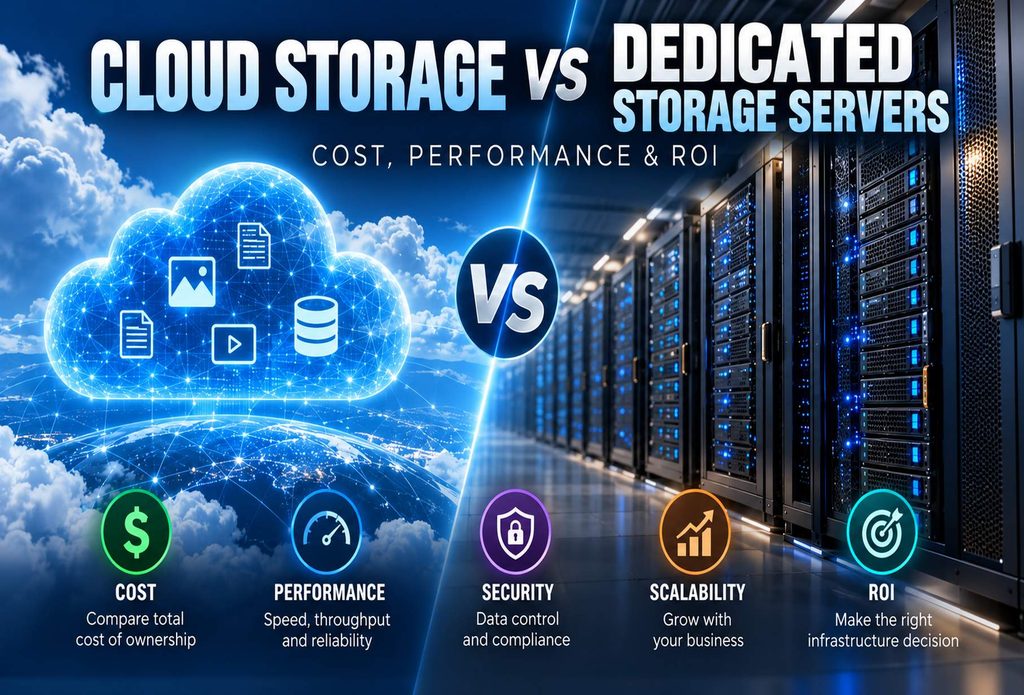
Cloud Storage vs Dedicated Storage Servers: Comparison Chart
| Consideration | Cloud Storage | Dedicated Storage Servers |
|---|---|---|
| Initial deployment | Usually minutes | Requires provisioning |
| Pricing | Capacity and usage-based | Typically fixed monthly rental |
| Hardware selection | Provider-managed | Customer-selected configuration |
| Adding capacity | Usually immediate | Additional drives or servers |
| Large datasets | Depends on storage tier | Often economical at high utilization |
| Performance | Depends on service and network | Configurable hardware and software |
| Bandwidth | Provider-specific policies | Contracted port and transfer allowance |
| Security | Shared responsibility | Direct customer control |
| Redundancy | Managed options available | Must be configured |
| Administration | Less hardware management | More storage software responsibility |
| Cost predictability | Depends on usage | More predictable base expense |
This comparison focuses on public cloud object storage and rented single-tenant storage servers. Cloud block and file storage products have different characteristics.
Why Cloud Storage Bills Grow
Cloud storage is convenient. That’s the attraction. A business can add capacity without waiting for hardware, and employees in different locations can access information through services designed for distributed use. But the bill isn’t always determined by storage capacity alone.
Depending on the provider, charges may include retrievals, API requests, replication, outbound transfers, or premium performance tiers.
Think about a company that stores training videos for its customers.
The amount of stored data might barely change from one month to the next. But if customer activity doubles, outbound traffic could increase considerably. The company hasn’t purchased more storage. It has simply used the existing files more heavily.
That distinction matters when forecasting expenses.
Amazon S3, Microsoft Azure Blob Storage, and Backblaze B2 all offer cloud object storage, but their pricing structures differ. A business should review the actual services it uses rather than assuming every cloud provider charges the same way.
Microsoft explains these billing considerations in its Azure Blob Storage cost documentation.
We’ve also examined the broader financial issue in Why Cloud Hosting Is Often More Expensive Than Dedicated Server Hosting.
What Changes with a Dedicated Storage Server?
With dedicated storage, the customer rents physical hardware rather than purchasing storage as a metered service. The server might contain high-capacity hard drives, NVMe storage, substantial RAM, and a network connection selected for the expected workload.
The customer generally controls the operating system and storage software, while the hosting provider maintains the physical hardware under the terms of the service agreement.
Consider a business maintaining 180 TB of video footage.
Most of those files may not require expensive flash storage. High-capacity hard drives could provide the necessary space, while faster SSDs handle active projects or caching.
A dedicated configuration allows the business to make that distinction. The same principle applies to backups, surveillance recordings, and large document repositories.
There is little reason to purchase high-performance storage for files that are rarely accessed. On the other hand, a database handling frequent transactions may justify the expense of NVMe drives.
Hardware selection should follow the workload. Organizations considering this approach can review ProlimeHost Dedicated Server Hosting.
What Does 100 TB of Storage Actually Cost?
Let’s compare several illustrative cloud capacity rates.
| Monthly Rate per TB | Monthly Expense | Annual Expense | Three-Year Expense |
|---|---|---|---|
| $6.95 | $695 | $8,340 | $25,020 |
| $15.00 | $1,500 | $18,000 | $54,000 |
| $20.00 | $2,000 | $24,000 | $72,000 |
| $26.00 | $2,600 | $31,200 | $93,600 |
These figures cover capacity only. They don’t include applicable transfers, requests, replication, or other services.
Backblaze B2 provides one example of a relatively inexpensive cloud object storage service. Its published pricing and transfer policies are available on the Backblaze B2 pricing page.
A company using a more expensive cloud storage tier may have a stronger financial reason to investigate dedicated hardware. Against a cloud capacity expense of $72,000, that’s an $18,000 difference.
Now suppose a dedicated storage configuration rents for $1,500 monthly. Over three years, the base rental would total $54,000.
It sounds attractive, but we need to make sure we’re comparing equivalent services.
The dedicated server must provide sufficient usable storage after redundancy. It must also satisfy the company’s performance, availability, backup, and recovery requirements. A single dedicated server doesn’t automatically provide the geographic protection available through certain cloud storage configurations.
The $1,500 dedicated rental is a hypothetical example, not a current ProlimeHost quotation.
The real comparison begins with a properly specified dedicated configuration and an itemized cloud bill.
For a closer look at infrastructure economics, see Dedicated Server vs Cloud: 2026 ROI Breakdown.
Performance Depends on What You’re Storing
A 200 TB storage server sounds impressive until someone asks how quickly it can deliver data.
Capacity tells us how much information fits on the drives. It tells us very little about the experience of the people or applications accessing that information.
Take a surveillance system recording footage from hundreds of cameras. It may perform continuous writes throughout the day, with occasional retrieval of older recordings. High-capacity HDDs can be appropriate for that kind of workload.
Now consider a database serving an online application. It might process thousands of small reads and writes every second. NVMe storage could make a considerable difference.
Cloud providers offer storage services designed for different performance requirements, too. Object storage shouldn’t be compared directly with locally attached NVMe drives without considering how the application uses them.
Dedicated infrastructure gives the customer control over drive selection, caching, file systems, and other configuration decisions.
Neither model wins every performance comparison.
Network Capacity Can Be Just as Important
A fast storage array doesn’t accomplish much if the network connection can’t keep up.
A 10 Gbps connection has a theoretical maximum throughput of approximately 1.25 GB per second before overhead and practical limitations. Actual performance depends on the drives, server configuration, routing, protocol, and competing traffic.
For businesses moving large datasets regularly, network capacity deserves the same attention as storage capacity.
ProlimeHost discusses infrastructure efficiency in Cost Per Compute Unit: The Only Infrastructure Metric That Actually Matters.
Security Isn’t Determined by Where the Drives Sit
Some businesses assume dedicated servers are more secure because they control the hardware. Others believe cloud storage is safer because large providers invest heavily in security.
Neither assumption tells the whole story.
Major cloud platforms provide encryption, identity management, logging, and other security capabilities. Customers still need to configure those services correctly.
Dedicated storage offers more direct control over the operating system, network access, storage software, and administrative policies. That control comes with responsibility.
Someone must manage updates, credentials, encryption, monitoring, and access permissions.
A business with experienced IT staff may prefer that arrangement. Another company may benefit from a cloud provider’s managed services.
Regulated workloads add another consideration. Renting a dedicated server does not automatically establish HIPAA, PCI DSS, or other compliance.
The entire operating environment must meet the applicable requirements.
Where Cloud Storage Has the Advantage: Scaling
Imagine a startup that currently stores 8 TB but might need 80 TB next year. Renting a large dedicated storage server immediately could mean paying for capacity that sits unused.
Cloud storage avoids much of that problem.
The company can increase consumption as its needs change without ordering additional physical equipment.
Dedicated storage requires planning. Drives may need to be installed, new servers provisioned, and data redistributed. For an established company adding roughly 5 TB each quarter, that planning may be straightforward.
For a startup with unpredictable demand, it may not be.
The financial value of cloud scalability depends on how much flexibility the business actually needs.
AI Workloads Need More Than Expensive GPUs
A GPU server waiting for data isn’t producing much value. AI training systems can consume substantial datasets, sometimes reading the same information repeatedly during training and testing.
If the storage environment can’t deliver data quickly enough, compute resources may remain underutilized. Dedicated NVMe storage located near the GPU infrastructure can help certain workloads.
Large training environments may require distributed storage, fast networking, and software designed to supply data to multiple compute nodes.
Cloud object storage remains useful for retaining datasets, sharing information, and supporting distributed workflows.
The right configuration depends on how the data is accessed and how quickly it must reach the compute resources.
Businesses evaluating accelerated infrastructure can review ProlimeHost GPU Dedicated Servers.
Media Production and Long-Term Archives
Video production businesses know how quickly storage fills up. Raw footage, alternate edits, high-resolution exports, audio tracks, and project backups can consume enormous amounts of capacity.
A company may have hundreds of terabytes of files, but not all those files are used in the same way.
Current projects need responsive storage. Completed work may sit untouched for months or years. Keeping everything on one expensive storage tier rarely makes financial sense.
Dedicated hardware can provide substantial capacity for active libraries, while cloud archival services may be suitable for older projects.
The business still needs a reliable backup strategy, regardless of where the primary files reside. The point is to stop treating every terabyte as though it has identical requirements.
Backups: Don’t Let RAID Give You False Confidence
RAID is useful, but it isn’t a backup.
A redundant drive configuration can help maintain access when certain disks fail. It doesn’t prevent accidental deletion, ransomware, or every form of corruption. A fire, major power incident, or other site-level problem can affect an entire server.
Businesses need independent copies of important data, preferably with suitable geographic separation.
Cloud storage can be a practical destination for those backups.
Dedicated servers can also function as backup repositories when configured with appropriate isolation and recovery procedures.
Whatever arrangement is selected, recovery testing matters. Finding out that a backup is unusable during an emergency is a lesson nobody wants to learn.
When Is It Time to Consider Leaving the Cloud?
There isn’t a magic number of terabytes that makes dedicated storage the obvious choice.
A company storing 40 TB of frequently accessed data may benefit from dedicated hardware, while another holding 250 TB of rarely retrieved archives may be better served by inexpensive cloud archival storage.
Look at the access pattern. How often is data retrieved? How much leaves the provider’s network? Is capacity growing steadily or unpredictably? Are applications sensitive to latency?
Those answers tell us more than the storage total alone.
A migration also has costs. Moving large datasets takes time. Applications may need changes, and teams must verify that files arrive intact.
The expected savings should justify those expenses and the operational risks.
For more guidance, see When Does It Make Sense to Switch from Cloud Services to Dedicated Servers?.
Hybrid Storage: Keeping Each Workload Where It Belongs
Consider a company storing 200 TB of data. Perhaps 120 TB consists of files employees access regularly. The remaining 80 TB contains completed projects retained for reference or contractual reasons.
Does all that information need the same storage service?
Probably not.
The active files might belong on dedicated infrastructure, while less frequently accessed information could be placed in an appropriate cloud storage class.
Independent backups would still be required.
This approach can reduce unnecessary spending while preserving the flexibility of cloud services where it provides value.
Hybrid storage introduces management considerations, including synchronization, access permissions, network transfers, and recovery procedures.
But for businesses with different types of data, it can be a practical arrangement.
What CFOs Should Look for in Storage Spending
Storage costs deserve attention because they can grow quietly.
A few additional terabytes this month may not attract much notice. Repeated over several years, those increases can become a significant operating expense.
Finance departments should understand what drives the bill.
Is the company paying for capacity it needs? Are transfer charges increasing? Is old data being retained unnecessarily? Would a different storage tier reduce costs?
Dedicated storage can provide a more predictable baseline expense, but it doesn’t eliminate the need for capacity planning. Additional hardware, backups, and support may still be required.
The objective is to connect infrastructure spending with actual business requirements.
We’ve examined the financial planning implications in Cloud Cost Volatility vs Dedicated Server Predictability.
How ProlimeHost Approaches Dedicated Storage Requirements
When evaluating a dedicated storage configuration, the advertised capacity is only a starting point. The more useful questions concern usable storage, drive technology, redundancy, network traffic, and expected growth.
A company retaining video archives may need a very different server from one operating databases or supporting GPU workloads.
Some applications benefit from high-capacity HDDs. Others need NVMe performance. Many require a combination.
Network requirements matter, too. A configuration that looks economical until the customer exceeds its bandwidth allowance may not be the right choice.
ProlimeHost provides dedicated server infrastructure and custom configuration options for businesses evaluating these requirements.
Before requesting a quotation, organizations should estimate their storage capacity, performance, bandwidth, and recovery needs. That makes it easier to determine whether dedicated hardware is a reasonable alternative to their existing environment.
Frequently Asked Questions
Is dedicated storage cheaper than cloud storage?
Sometimes, particularly when a business stores large amounts of frequently accessed data. Cloud storage may be more economical for smaller or unpredictable workloads. Bandwidth, backups, management, and redundancy should be included in the comparison.
How much does 100 TB of cloud storage cost?
At an illustrative rate of $20 per TB monthly, 100 TB costs $2,000 per month or $24,000 annually for capacity alone. Actual prices vary by provider, service tier, and usage.
Are dedicated storage servers faster?
They can be, depending on the hardware and workload. NVMe drives and appropriate networking can provide excellent performance. Cloud platforms also offer high-performance storage services.
Can a dedicated server store 200 TB?
Yes. High-capacity servers can contain hundreds of terabytes of raw storage. Usable capacity will depend on redundancy and configuration.
Is cloud storage more secure?
Neither model is automatically more secure. Both require proper access controls, encryption, monitoring, and operational practices.
Does RAID replace backups?
No. RAID helps protect against certain drive failures. Independent backups are needed to protect against other causes of data loss.
Is dedicated storage suitable for AI training?
Yes, provided the storage system can supply data quickly enough. Large AI workloads may require NVMe storage, fast networking, or distributed storage systems.
Can businesses use cloud and dedicated storage together?
Yes. Dedicated servers can handle primary workloads while cloud services provide archival storage, off-site backups, or temporary capacity.
Final Verdict: Cloud Storage or Dedicated Storage Servers?
Cloud storage isn’t going away, nor should it. For businesses that need rapid expansion, distributed access, and managed storage services, it can be an excellent choice.
But once storage requirements become large and predictable, it’s worth asking whether paying by the terabyte remains the most economical arrangement.
Dedicated storage servers can provide substantial capacity, hardware control, and more predictable monthly spending. The potential savings depend on the workload and the complete cost of operating the environment.
Some businesses will find that dedicated hardware makes financial sense. Others will discover that cloud services still offer better value.
And plenty will benefit from using both.
The decision shouldn’t be driven by whether cloud or dedicated infrastructure is fashionable. It should be driven by what the business needs, what the data is worth, and what it costs to keep that data available and protected.
Talk with ProlimeHost About Dedicated Storage
If your company is storing substantial amounts of data in the cloud, comparing those expenses with a dedicated configuration may be worthwhile.
ProlimeHost can discuss hardware options based on storage capacity, drive technology, bandwidth, and application requirements.
Whether you’re maintaining a large media library, managing backups, or supporting data-intensive applications, the right configuration begins with understanding how your data is used.
Explore Dedicated Server Hosting or GPU Dedicated Servers.
ProlimeHost Sales: 877-477-9454
About the Author
Steve Bloemer is Director of Sales & Operations at ProlimeHost, where he has worked since 2015. His work includes dedicated servers, GPU hosting, storage requirements, and network infrastructure.
He writes about the technical and financial decisions businesses face when choosing hosting services.
Sources and Disclosure
This article uses published cloud storage pricing information and illustrative financial examples. The calculations are not vendor quotations or independent performance benchmarks.
Actual costs depend on storage configuration, usable capacity, redundancy, bandwidth, support, and service terms.
ProlimeHost provides dedicated server hosting and has a commercial interest in dedicated infrastructure.
External references: Backblaze B2 Cloud Storage Pricing and Microsoft Azure Blob Storage Cost Documentation.