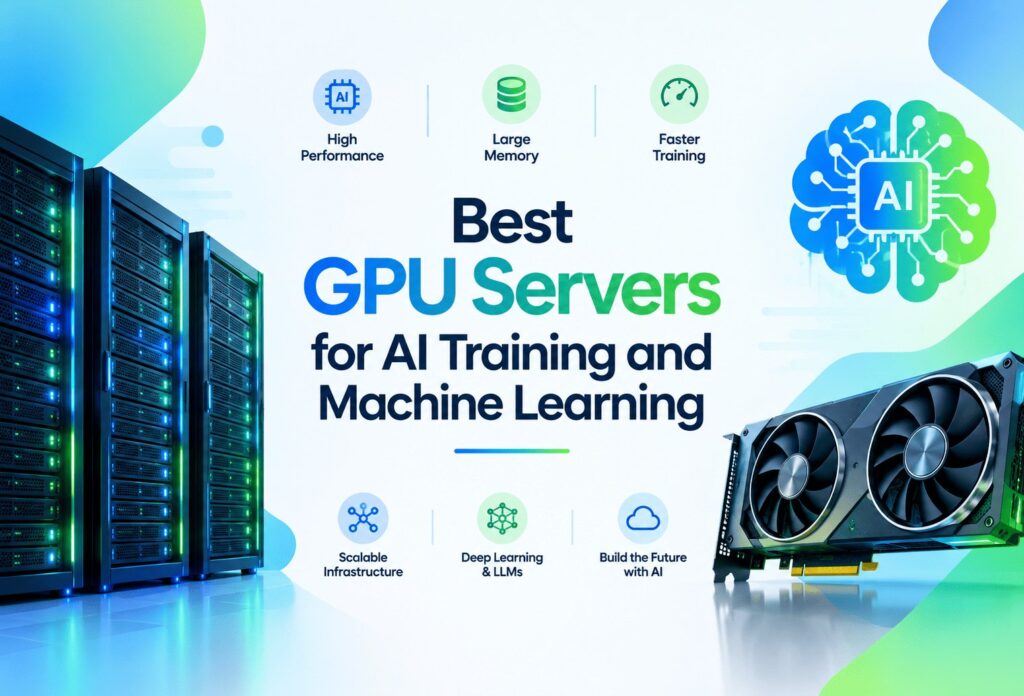
Standard CPU servers increase the latency of developing complex models and processing large datasets exponentially. Parallel processing is essential for large machine learning, vision, AI, generative AI, LLM, and deep learning workloads. The training servers designed for such workloads contain graphical processing units (GPUs). While selecting the GPU Servers for AI training, there are some factors you should consider first. VRAM, CPU, RAM, network, storage, and the number of GPUs combined determine how much a particular server can handle.
A single GPU will suffice for a small machine learning workload. However, many large-scale LLM workloads will require high memory and multiple GPUs. This guide is intended to help you understand what you should consider when selecting a GPU server based on your particular AI or machine learning workload.
What Is a GPU Server?
A GPU server is a server equipped with one or more Graphics Processing Units (GPUs). Unlike a standard server, GPU servers are designed to handle compute-intensive tasks that rely on parallel processing, including deep learning, machine learning, AI, and other types of parallel workloads.
While GPUs are designed to handle parallel computing tasks, CPUs are still necessary for general operations and programming. This is why integrated computing systems use both GPUs and CPUs for different workloads.
GPU servers can be configured for shared or dedicated use. Bare metal GPU servers ensure dedicated hardware for your workload, affording you more control over your software, at the expense of flexibility.
Importance of GPU Servers for AI training and Machine Learning
AI tasks are characterized by high per-instance computations and intensive crunching of input data. GPUs are capable of simultaneously crunching many instances of data and providing a commercial advantage to AI technologies.
Parallel Processing
General Purpose Processing Units (CPUs) have fewer but more capable cores designed to perform many different tasks. Graphics Processing Units (GPUs) have thousands of cores optimized for performing math operations on matrices in parallel. This makes them suited for the math-intensive matrix operations integral to AI and deep learning.
Faster Model Training
Training a model can require a large number of calculations that need to be performed many times over. Due to GPU’s parallel processing nature, GPUs can drastically reduce the time needed to train models for large, complex tasks.
Large-Scale Data Processing
AI-based technologies perform calculations on large datasets. These datasets can include text data, images, video data, among many others. GPUs can compute on numerous datasets in parallel and reduce the time computations take.
Deep Learning and Neural Networks
Math-intensive parallel operations form the foundation of deep learning. Many of the frameworks used to develop deep learning applications, such as PyTorch and TensorFlow, include support for GPUs.
Training and Inference
AI-based applications require both training and subsequent deployment to make predictions about new data. Training requires more resources since computations must be performed on more data.
How to Choose the Best GPU Servers for AI training
The best AI GPU server configuration depends on the intended workload and not only the highest specifications. Think about the following aspects of the server configuration before choosing a particular model.
GPU Model and Compute Performance
AI server configurations must consider the different components of the GPU. Architecture, CUDA cores, Tensor cores, and performance across FP32, FP16 and BF16 define the server’s performance.
Just having a newer GPU does not necessarily mean the server configuration is the best. It depends on which AI frameworks you intend to use, what models you intend to run, and your budget.
GPU VRAM
AI VRAM refers to the GPU memory that stores models, data, and intermediate calculations. Larger models and batch sizes require greater amounts of VRAM.
An excellent GPU’s performance can be compromised if a large AI model cannot fit in memory. Therefore, available GPU memory must be considered along with the performance and architecture of a batch of models and their training precision.
Number of GPUs
A single GPU is sufficient for most development and several machine learning workloads as well as some smaller models. Dual GPUs will be useful for larger workloads, models, and AI frameworks.
If you are looking for a multi-GPU server, ProlimeHost has configurations with NVLink for high speed communication between GPUs.
CPU and RAM
Data preprocessing is a large part of the training workload, and the CPU is responsible for this, along with the system operations and feeding data to the GPU. A good CPU helps a lot to avoid bottlenecks, especially with multiple GPUs.
RAM is also very important for large datasets, tools, development environments, and even other running applications.
Storage and Network Speed
NVMe storage speeds up the loading of datasets, the checking and saving of models, and the accessing of training files. Network performance also affects the downloading of big datasets, the transporting of trained models, and the execution of distributed workloads spanning numerous servers.
Best GPU Types for AI and Machine Learning
No single GPU works optimally for every AI project. The most appropriate choice is context-dependent and depends on the VRAM, compute, workload type, software, and the budget.
NVIDIA RTX GPUs
NVIDIA RTX GPUs work for AI development, computer vision, and some model training at a smaller scale. For instance, the RTX A5000 provides professional-grade VRAM, while the RTX 5090 has higher compute.
These GPUs may be a good choice for projects that involve less memory and/or do not rely heavily on big data center systems.
NVIDIA A-Series GPUs
The A-Series is intended for professional, data center domain workloads, and the A100 provides high VRAM coupled with specialized AI acceleration, which makes it ideal for high-performance computing, deep learning, and large-scale model training.
NVIDIA V100
The V100 is an older data center GPU, but can accommodate certain AI and high-performance computing workloads. It may be an appropriate choice for users with a need for high compute workloads without the need for the latest GPU architecture. Before making this choice, be sure and check for software and frameworks.
Multi-GPU Configurations
Having a multi-GPU server can help you with larger workloads that require more compute and memory. For example, some workloads can be handled with just two GPUs, but others may need four or eight GPUs.
More GPUs on a server won’t perform better unless all the components of the system (application, architecture, framework) can communicate with the GPUs. The interconnect on the GPUs also has to be able to take advantage of the additional hardware.
Best GPU Server Configurations for Different AI Workloads
- AI Development and Experimentation: When using smaller models, most developers start with a powerful single-GPU, up to 128GB of memory, fast NVMe storage, and a modern CPU. This provides a development balance for multiple applications.
- Machine Learning: In most cases, traditional machine learning does not need the most powerful GPU. A balanced configuration with adequate VRAM, fast storage, system RAM, and a good CPU can help even the most CPU-intensive and memory-intensive models.
- Deep Learning: Deep learning usually needs more VRAM and faster storage than the average workload. These needs grow as neural networks, datasets, and batch sizes increase.
- LLM Training: When speaking about LLM training, the most important aspect of a workstation is VRAM, since at a point training data, models, and intermediate calculations will all need to fit in the same memory. For large-scale training, workstations may need multiple GPUs, fast GPU-to-GPU communication, and lots of RAM.
- AI Inference: Training is very different from inference. For inference, a model is loaded and used by the server. The requirements may depend on the size of the model, how much VRAM there is, how many requests are being processed, and the response time. Small inference applications may only need one GPU, whereas high-request services may need multiple.
ProlimeHost GPU Dedicated Servers
ProlimeHost offers GPU dedicated servers with various NVIDIA GPU options for workloads ranging from development and testing to more demanding AI and ML workloads.
NVIDIA offers the GT 1030, RTX A5000, RTX 5090, V100, and A100 GPUs for customers to choose from. Each unit offers flexibility in terms of performance and memory, allowing customers to tailor their purchase to their specific needs.
ProlimeHost also sells the RTX A5000 and RTX A5000 A100 servers in high-memory configurations, allowing customers to customize their purchase to include 2 A100 80GB GPUs, 512GB of RAM, and NVMe storage.
Besides these configurations, ProlimeHost also offers multiple GPU servers for customers looking to train large models, design workloads, and high-performance computing. They also allow customers to build servers that can be modified to include specific GPU, CPU, and storage configurations.
ProlimeHost Features for AI Workloads
Customers get full root access, which gives them the ability to design and deploy CUDA, install and modify robotic process automation frameworks and AI software, and configure server environments.
- ProlimeHost offers NVMe storage and uses a Tier 1 network, which enhances the speed of data transfers for large models.
- ProlimeHost offers IPMI remote hardware control, which enables an administrator to control a server over the internet.
- ProlimeHost offers access to GPU clusters in the Dallas, Los Angeles, New York, and Utah regions.
GPU Server vs Cloud GPU: Which Is Better for AI?
Dedicated GPU servers and cloud GPUs can both support AI workloads, but they suit different requirements.
| Factor | Dedicated GPU Server | Cloud GPU |
| Hardware access | Dedicated | Virtualized or allocated |
| Billing | Usually fixed monthly | Often usage-based |
| Long-term workloads | Can be cost-effective | Costs can increase with usage |
| Control | High | Depends on provider |
| Deployment | Requires provisioning | Usually faster |
| Scaling | Hardware-based | Generally easier |
| Cost predictability | Higher | Depends on usage |
A dedicated GPU server is better suited to continuous training workloads that require predictable, monthly costs, dedicated hardware, and root-level control.
Cloud GPUs can be better used for temporary workloads, experiments, and projects that require rapid scaling.
Neither of the two options can be considered better than the other. The choice of dedicated GPU servers or cloud GPUs depends on the scope of the workload, the budget, performance required, and the workload duration.
How Much GPU VRAM Do You Need for AI?
VRAM dependence is model-dependent, but training batch size, precision, methodology, GPU utilization (training/inferencing), and other factors influence the requirement.
8–16GB VRAM: Ideal for learning, experimentation, and smaller models, but is also being used for development and basic computer vision jobs.
24–48GB VRAM: Appropriate for more intensive deep learning, larger models, fine-tuning, and professional AI development.
80GB+ VRAM: Designed for large model training, LLMs, enterprise, and research AI.
Model size is not solely reflective of VRAM needs. The training precision, batch size, optimizer state, context length, and model architecture can all influence the amount of memory needed.
Software and Framework Compatibility
Before renting a GPU server, make sure the hardware supports your software stack. When considering NVIDIA GPU servers, make sure the drivers are compatible with the GPU and supported CUDA and cuDNN versions.
In addition, make sure that the drivers and the CUDA environment are compatible with PyTorch or TensorFlow. Developers also need to consider the Python version, Docker, and Linux distribution.
ProlimeHost GPU servers are optimized for machine learning and deep learning that are supported by TensorFlow and PyTorch.
Common Mistakes When Choosing an AI GPU Server
- Failure to Analyze the Complete Server – It is possible to have a strong GPU on a system that is otherwise built poorly, limiting the potential of the GPU.
- Failing to Analyze VRAM – Having a good GPU that is outclassed by insufficient VRAM will not solve memory issues.
- Ignoring or Undervaluing Amount of RAM – Lack of RAM can cause data processing to slow down and increases the likelihood of bottlenecks when performing multiple operations.
- Prioritizing Cost When Choosing Storage – Storage may become a bottleneck when dealing with large datasets. In order to maintain efficiency, consider using NVMe for your storage solution.
- Not Preparing for Multi-GPU Systems – Adding GPUs will not affect system performance unless software designed for multiple GPUs is employed.
- Not Evaluating Software Compatibility – Several packages may need to be compatible with one another, including drivers, CUDA, cuDNN, etc.
- Excessive spending on Components – Additional GPUs are not always necessary for workload optimization. If one GPU is sufficient for a workload, investing in additional GPUs may not be beneficial.
How to Choose the Right GPU Server for Your Budget
Entry-Level AI Development
Beginners may benefit from single, capable GPUs that are fast. High-speed, low-latency storage and sufficient RAM should also be considered.
Professional AI/ML Development
High-quality, professional whole-stack solutions for developing AI can utilize multiple GPUs. The rest of the system should have high-speed networking and substantial RAM.
Enterprise and Research AI
Research and enterprise systems can use multiple GPUs, high networking speed, high RAM, and custom configurations to support LLMs and large datasets.
Frequently Asked Questions About GPU Servers for AI training
What is the best GPU server for AI training?
The configuration that works best depends upon a variety of factors. These factors include: size of the model, VRAM needs, training methodology, the length of the training, and, of course, budget. Models that are large may require high VRAM and multi-GPU systems, while a smaller project may only require a single GPU.
How much VRAM do I need for machine learning?
There is no set amount. Factors such as the size of the model, the batch size, the precision of training, and the methodology used for the training all impact VRAM requirements. Smaller workloads may only require 8GB to 16GB, while more demanding workloads may draw 24GB, 48GB, even 80GB+.
Are dedicated GPU servers better than cloud GPUs?
Dedicated GPU/AI servers often provide the user more control over cost and predictability, as well as hardware dedicated to the task at hand. Cloud GPUs provide the user more flexibility in the face of constantly changing requirements and workloads.
Can I use a GPU server for LLM training?
Yes. Large LLM training workloads require many high-VRAM GPUs and large amounts of RAM, fast storage, and high-speed communication between the GPUs.
Can I run PyTorch and TensorFlow on a dedicated GPU server?
This is possible, provided all the required components are compatible, such as GPU drivers, CUDA, Python environments, and the corresponding frameworks.
Do I need multiple GPU Servers for AI training?
Not always. One GPU is sufficient for most development and smaller training workloads. Multiple GPUs become vital when workloads require more memory and compute resources that can be optimized.
What is the difference between a GPU server and a regular dedicated server?
A regular dedicated server is mainly a CPU-based server. A GPU server is a server that has GPU(s) designed for use in parallel processing workloads. This makes GPU servers ideally suited for AI training and other similar workloads.
Final Verdict
When selecting the best GPU servers for AI training, understanding your workload is key. Most servers consist of multiple components such as the CPU, RAM, and GPU interconnects. VRAM and compute performance, while important, won’t make a difference if other performance-limiting components are present.
As for most computing tasks, smaller AI projects requiring a single GPU exist. More complex projects, including large-scale model training and research, stand to benefit from high-VRAM, multiple GPU setups. The sweet spot is to select a setup that covers the workload, without provisioning unnecessary unused resources.
For developers, businesses, and research institutions looking for dedicated GPU computing infrastructure, ProlimeHost offers an array of GPU configurations, including high-memory, multi-GPU, and custom setups.
If you are ready to build your AI infrastructure, check out ProlimeHost’s GPU Dedicated Servers and configure your server based on your workload.