Executive Summary
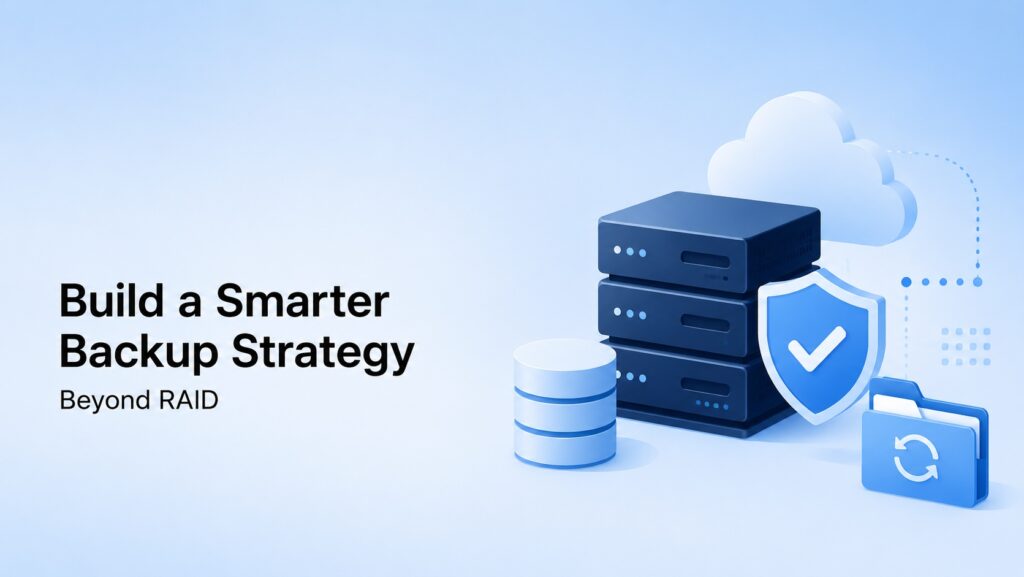
Organizations invest significant resources in building reliable infrastructure. They evaluate processors, storage performance, memory capacity, network throughput, and application scalability. Yet when discussing infrastructure resilience, backup planning often receives far less attention than it deserves. Many businesses assume that because they have implemented RAID, their data is protected. Unfortunately, that assumption has led countless organizations to discover the difference between availability and recoverability at the worst possible moment.
The reality is that RAID was never designed to be a backup solution. RAID helps systems remain operational when hardware fails, but it offers little protection against many of today’s most common causes of data loss. Accidental deletions, ransomware attacks, software corruption, compromised accounts, and administrative mistakes can all impact data regardless of how many drives exist in a storage array. When these incidents occur, RAID often replicates the problem rather than preventing it.
As we discussed in our article on dedicated server capacity planning, successful infrastructure design requires thinking beyond today’s requirements and preparing for tomorrow’s challenges. The same principle applies to data protection. A modern dedicated server backup strategy must account for operational risks, cybersecurity threats, disaster recovery requirements, and long-term business continuity objectives. Organizations that treat backups as a strategic business function rather than a technical afterthought are significantly better positioned to recover from unexpected events while minimizing financial and operational disruption.
Why So Many Businesses Mistake RAID for a Backup Strategy
The misunderstanding surrounding RAID is surprisingly common. After all, RAID provides redundancy, protects against certain hardware failures, and helps maintain uptime. When a drive fails within a properly configured RAID array, applications can often continue operating without interruption while replacement hardware is installed. From an operational perspective, that level of resilience feels like protection.
The problem is that data loss rarely begins with a failed drive anymore. Modern environments face a much broader range of risks than they did a decade ago. Employees accidentally delete files. Administrators make configuration mistakes. Software updates introduce corruption. Databases become damaged. Credentials are compromised. Malware spreads through systems that otherwise appear healthy. In each of these situations, RAID performs exactly as intended by ensuring every drive contains the same information. Unfortunately, if the data itself has been damaged, deleted, or encrypted, every copy becomes equally unusable.
Imagine a scenario where a critical customer database is accidentally removed during maintenance. The RAID array remains healthy. The servers remain online. The storage subsystem continues functioning perfectly. Yet the business still experiences a major outage because the information it depends upon no longer exists. The hardware survived. The data did not.
Understanding this distinction is the first step toward building a meaningful backup strategy. Availability and recoverability are related concepts, but they are not the same thing.
The New Reality of Data Loss
Technology environments have become dramatically more complex over the past several years. Applications are interconnected. Data moves constantly between systems. Automation tools perform tasks that once required human oversight. Cloud integrations, APIs, virtualization platforms, containerized workloads, and AI applications all contribute to a level of operational complexity that few organizations faced in the past.
This complexity has shifted the nature of infrastructure risk. Hardware failures still occur, but they are no longer the primary threat. Human error consistently ranks among the leading causes of data loss events. A simple mistake made by an experienced administrator can affect thousands of files in seconds. Likewise, ransomware operators have evolved their tactics, specifically targeting backup repositories and recovery systems because they understand that backups often represent the fastest path to business recovery.
Organizations deploying high-performance infrastructure, including environments powered by ProlimeHost’s Dedicated Server Hosting and GPU Dedicated Servers (https://w, must recognize that performance alone does not create resilience. Fast infrastructure without a recovery strategy can still leave a business vulnerable to prolonged downtime and costly interruptions.
The challenge is no longer simply keeping servers online. The challenge is ensuring critical data remains recoverable regardless of what causes an incident.
Building a Layered Backup Architecture
The most effective backup strategies rely on layers rather than individual technologies. Organizations that depend on a single backup system frequently discover limitations when faced with unexpected recovery scenarios. A layered approach acknowledges that no individual technology can protect against every possible threat.
One of the most widely accepted frameworks remains the 3-2-1 backup methodology. While simple in concept, it provides a strong foundation for modern data protection. Organizations maintain multiple copies of critical data, store those copies on different storage platforms, and keep at least one recovery copy in a separate location. This approach dramatically reduces the likelihood that a single event can compromise every available recovery point.
In practice, this often means maintaining production workloads on dedicated infrastructure while creating local backup repositories for rapid restoration. Additional copies are then replicated to geographically separate environments where they remain isolated from production systems. This combination provides both operational flexibility and disaster recovery protection.
The importance of planning backup capacity should not be overlooked either. As discussed in our article, How to Build a Dedicated Server Capacity Plan That Scales With Business Growth, infrastructure growth tends to accelerate over time. Backup storage requirements often grow even faster because retention policies, compliance requirements, and historical data archives continue expanding alongside business operations.
Organizations that fail to account for backup growth frequently find themselves scrambling to add storage capacity during periods of rapid expansion.
Why Geographic Redundancy Matters
A backup strategy that stores every copy of data in the same facility may provide convenience, but it also creates a significant concentration of risk. While modern data centers offer exceptional reliability, no facility is completely immune to outages, disasters, security incidents, or operational disruptions.
This reality is why geographic redundancy plays such an important role in modern disaster recovery planning. By maintaining backup copies in different locations, organizations reduce their dependence on any single facility and improve their ability to recover from large-scale events. The goal is not to assume disaster is inevitable. Rather, it is to recognize that resilience improves when recovery options are distributed across multiple environments.
This concept closely aligns with the principles discussed in our article, How to Choose the Right Storage Architecture for Modern Applications. Storage decisions should not be evaluated solely through the lens of performance. Scalability, reliability, and recoverability must all be considered together because each factor contributes to the long-term stability of the environment.
Businesses often spend months evaluating server specifications while dedicating only a few minutes to disaster recovery planning. Yet during a crisis, recovery capabilities frequently become more important than raw performance metrics.
Recovery Objectives Should Drive Backup Decisions
One of the most common mistakes organizations make is selecting backup technologies before defining recovery requirements. The technology should support the business objective, not determine it.
Every organization should establish realistic Recovery Point Objectives (RPOs) and Recovery Time Objectives (RTOs). These measurements help define how much data loss is acceptable and how quickly systems must be restored following an incident. The answers influence everything from backup frequency and retention policies to storage architecture and replication strategies.
A company processing thousands of transactions per hour may require near-continuous replication to minimize potential revenue loss. Another organization operating primarily as a document archive may be comfortable with daily backups. Both approaches can be appropriate depending on the operational requirements of the business.
What matters most is aligning infrastructure decisions with business risk. Every backup strategy represents a balance between cost, complexity, and recoverability. Organizations that understand their recovery objectives are far better equipped to make informed decisions about that balance.
The Importance of Testing Recovery Procedures
There is a significant difference between creating backups and successfully restoring them. Unfortunately, many organizations focus heavily on the first activity while largely ignoring the second.
Backup reports may indicate successful completion. Storage repositories may appear healthy. Monitoring systems may show no obvious problems. Yet none of these indicators guarantee that data can actually be restored when needed. In many cases, recovery failures are discovered only after an outage has already begun.
Testing transforms assumptions into verified outcomes. It confirms that backups are complete, recovery documentation remains accurate, credentials are accessible, and restoration procedures function as expected. More importantly, it provides operational teams with valuable experience before they encounter a real emergency.
Businesses that regularly test their recovery processes generally restore services faster and experience fewer surprises during actual incidents. They understand exactly how their systems will behave because they have already validated the process.
The value of backup testing becomes especially apparent when organizations are operating customer-facing applications, e-commerce platforms, AI environments, or other services where downtime directly impacts revenue and customer satisfaction.
Comparing Common Data Protection Approaches
| Data Protection Method | Availability | Recoverability | Protection Against Ransomware | Geographic Protection |
|---|---|---|---|---|
| RAID Only | Excellent | Limited | No | No |
| Local Backups Only | Good | Good | Moderate | No |
| Offsite Backups | Good | Excellent | Excellent | Yes |
| Cloud Backup Storage | Good | Excellent | Excellent | Yes |
| Multi-Site Replication | Excellent | Excellent | Strong | Yes |
| Hybrid Backup Strategy | Excellent | Exceptional | Exceptional | Yes |
For most organizations, a hybrid approach combining RAID, local backups, and geographically separate recovery copies provides the strongest balance between performance, resilience, and operational flexibility.
Frequently Asked Questions
Isn’t RAID 10 enough protection for most businesses?
RAID 10 provides excellent performance and protection against hardware failures, but it cannot recover deleted files, reverse ransomware encryption, or restore corrupted databases. It remains an important component of infrastructure resilience, but it should never be viewed as a complete backup strategy.
How often should dedicated servers be backed up?
The answer depends entirely on business requirements. Organizations should begin by determining how much data loss they can tolerate and how quickly systems must be restored. Those objectives should guide backup frequency rather than arbitrary schedules.
Are cloud backups replacing traditional backup systems?
Not necessarily. Most mature backup strategies combine multiple recovery methods. Local backups often provide faster restoration times, while cloud-based repositories provide geographic separation and additional resilience.
What is the biggest backup mistake organizations make?
Many businesses assume that successful backup jobs automatically guarantee successful recovery. In reality, backup testing is often the missing component. Until a backup has been restored and verified, its effectiveness remains largely theoretical.
Do small businesses need disaster recovery planning?
Absolutely. In many cases, smaller organizations have less margin for prolonged downtime than larger enterprises. A well-designed backup strategy can help prevent operational disruptions from becoming business-threatening events.
Final Thoughts
The purpose of a backup strategy extends far beyond protecting files and databases. A properly designed backup environment protects revenue streams, customer relationships, operational continuity, and organizational reputation. Data may be the asset being preserved, but the business itself is what ultimately benefits from effective recovery planning.
RAID remains a valuable technology and should continue playing an important role within modern infrastructure environments. However, organizations that rely solely on RAID are leaving themselves exposed to many of today’s most common causes of data loss. Hardware redundancy improves availability. Backup strategies provide recoverability. Both are necessary, but neither replaces the other.
As businesses continue investing in dedicated infrastructure, AI platforms, and data-intensive applications, recovery planning should become a central component of infrastructure design. Organizations that implement layered backups, maintain geographically separate recovery copies, define realistic recovery objectives, and regularly test restoration procedures place themselves in a far stronger position to withstand unexpected disruptions.
To learn more about building resilient infrastructure, explore ProlimeHost’s Dedicated Server Hosting and GPU Dedicated Servers.
You may also find additional value in our related articles on dedicated server capacity planning and storage architecture planning, both of which support a broader strategy for infrastructure resilience and business continuity.
Contact ProlimeHost
Steve Bloemer
Director of Sales & Operations
ProlimeHost
877-477-9454
https://www.prolimehost.com
Helping organizations build scalable, resilient, and performance-driven infrastructure solutions worldwide.