█ ProlimeHost Budget Series Servers Are Back in Stock! █

We’re excited to let you know that our Budget Series of Dedicated Servers are now available again. Quantities are very limited, so secure yours today before they sell out!

Contact us at sales@prolimehost.com or Call Phone: +1 877-477-9454 & let us help you build a hosting solution that ensures performance, reliability, and peace of mind.

Test IPv4: 192.3.180.103

—————-
AMD Servers
—————

AMD Ryzen 9 3900X
128GB DDr4 RAM
1TB NVMe
40TB on 1Gbps
$99/month

AMD Ryzen 9 5950X
128GB DDr4 RAM
1TB NVMe
40TB on 1Gbps
$119/month

AMD Ryzen 9 7950X
192GB DDr5 RAM
1.92TB NVMe
40TB on 10Gbps
$189/month

AMD Ryzen 9 9950X
192GB DDr5 RAM
1.92TB NVMe
40TB on 10Gbps
$219/month

Dual AMD EPYC 7551
256GB DDr4 RAM
1TB NVMe
40TB on 10Gbps
$249/month

—————–
INTEL Servers
—————–

Xeon E3-1240v3
32GB RAM
1TB SSD
40TB on 1Gbps
$69/month

Xeon E3-1270v6
64GB DDR4
1TB SSD
40TB on 1Gbps
$89/month

Dual Xeon E5-2660v2
128 GB DDR3
1TB SSD
40TB on 1Gbps
$119/month

Dual Xeon E5-2697v2
128 GB DDR3
1TB SSD
40TB on 1Gbps
$129/month

Dual Xeon E5-2683v4
256GB DDr4 RAM
1TB SSD
40TB on 10Gbps
$149/month

Dual Xeon E5-2699v4
256GB DDr4 RAM
1TB SSD
40TB on 10Gbps
$169/month

Quote available on request for the following servers:
AMD EPYC ROME 7402P, 256GB DDr4 ram, 2 x 1.92TB NVMe, 40TB on 10Gbps
AMD EPYC Milan 7C13, 256GB DDr4 ram, 2 x 1.92TB NVMe, 40TB on 10Gbps
Dual Xeon Gold 6152 , 256GB DDr4 ram 2 x 1.92TB NVMe, 40TB on 10Gbps
Dual Xeon Platinum 8180, 256GB DDr4 ram, 2 x 1.92TB NVMe, 40TB on 10Gbps


WHY CHOOSE PROLIMEHOST?

✅ 21+ Years of Excellence
✅ Premium Cisco-Powered Network
✅ Enterprise-Grade Hardware
✅ 99.99% Network Uptime
✅ Cost-Effective Solutions
✅ Flexible & Scalable Plans
✅ Unmatched Technical Support

Network & Datacenter Overview

Commissioned: 2016
Location: 325 Delaware Avenue, Suite 300, Buffalo, NY 14202

NYBF1 is strategically positioned to deliver low-latency and high-throughput network access across North America and Europe. Powered by renewable hydroelectric energy from Niagara Falls, the facility is designed to provide sustainable, scalable, and secure hosting solutions for enterprises of all sizes.

Facility Services
Dedicated Servers – Enterprise-grade hardware with custom configurations
Cloud Solutions – Flexible, scalable cloud infrastructure
Colocation – Secure cabinets and private suites for businesses
Private Suites – Tailored solutions with enhanced security and compliance

Network
Carriers: Cogent, GTT, TeliaSonera Hibernia, Atlantic, Zayo
Network Capacity: 1 Tbps total capacity
Redundant Backbone: 100 Gbps diverse carrier connections

Power & Cooling
Total Power: 1.44 MW with N+1 redundancy
Cooling Capacity: 130 tons with N+1 redundancy
Energy Source: 100% renewable hydroelectric energy

Security
24/7/365 electronic monitoring
Biometric card access at multiple levels

Contact us at sales@prolimehost.com or Call Phone: +1 877-477-9454 & let us help you build a hosting solution that ensures performance, reliability, and peace of mind.

The post █ ProlimeHost Budget Series Servers Are Back in Stock! █ first appeared on .

Running Multiple VMs with a Single IPv4

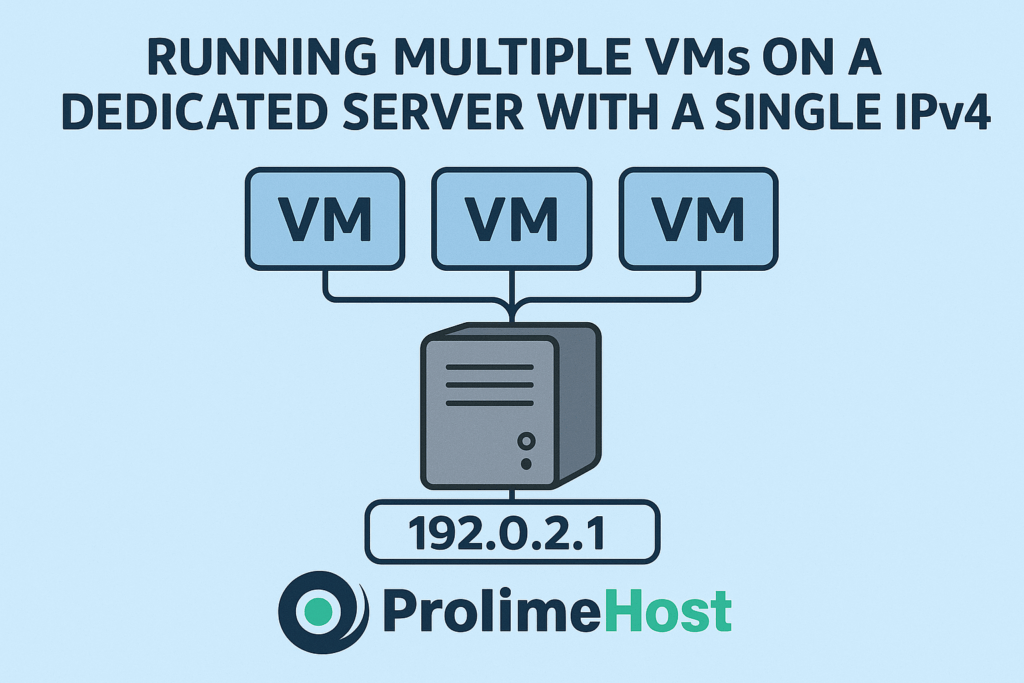
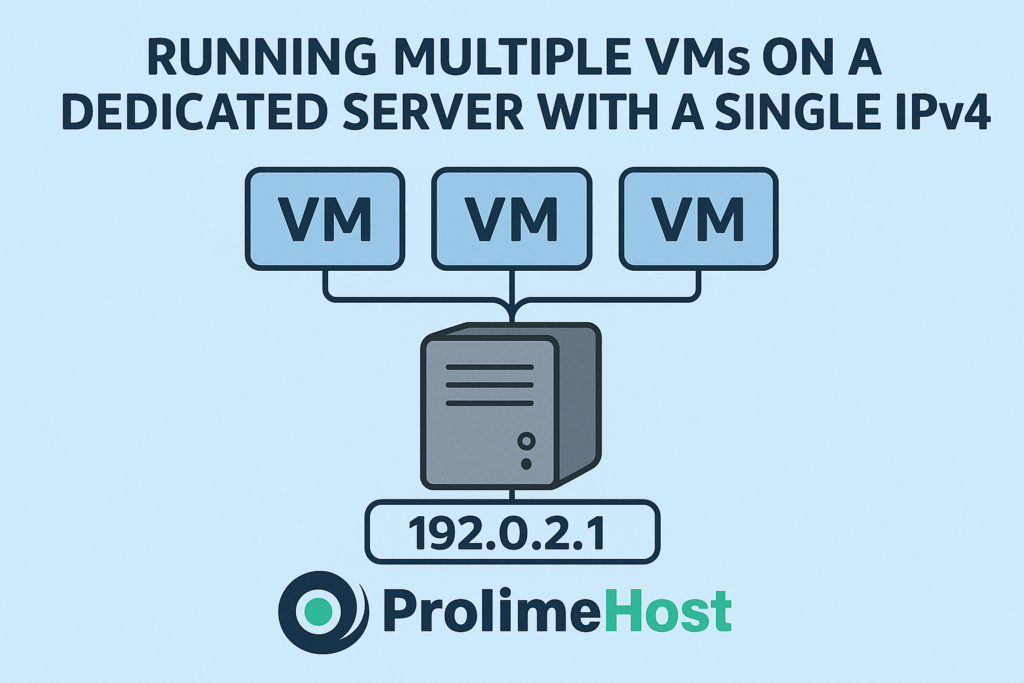
Saw a thread on the Webhostingtalk forum this morning asking its members if it was possible to split a dedicated server into several virtual servers using either virtualizor or proxmox and divide them over a single ipv4 without purchasing an IP pool by bridging, or would I need multiple ipv4 addresses?

Lots of great replies from their members, so I thought I’d expand on this here. Yes — you can split a dedicated server into multiple virtual servers (VMs) using Virtualizor or Proxmox, but the way you handle networking and IPv4 addresses depends on what you want:

You’d configure NAT or a reverse proxy/load balancer on the host where each VM gets a private/internal IP (e.g., 10.x.x.x or 192.168.x.x). Outbound traffic from all VMs would be translated to the host’s single IPv4 and inbound traffic would require port forwarding or a proxy to direct connections to the right VM.

This works fine if you don’t need every VM to have its own public IP (e.g., lab, dev servers, internal apps, or web hosting with reverse proxy), but the drawback is that you can’t run identical services (like two VMs both listening on port 443) directly without adding a reverse proxy layer.

When You Need Multiple Public IPs

If each VM must be reachable on its own IPv4 address (e.g., cPanel hosting, SSL termination per VM, mail servers, etc.), then you’ll need an IP pool from your provider. However, with bridged networking, you simply assign different IPv4s to each VM. Proxmox and Virtualizor both support this directly.

Practical Setup Differences

  • Proxmox VE:

    • Has built-in NAT, bridge, and routing modes.

    • NAT = use single IPv4, private LAN inside.

    • Bridge = requires multiple IPv4s.

  • Virtualizor:

    • Typically expects an IP pool if you want each VM exposed publicly.

    • Can be made to work with NAT (but less plug-and-play than Proxmox).

✅ Bottom line:

If you only have one IPv4 and don’t want to purchase more, you can still create several VMs by using NAT and port forwarding.

If you want each VM to have its own dedicated IPv4, then you’ll need a pool of IPv4s from your host/provider.

Single IPv4 (NAT Setup)

When you only have one public IPv4 from your provider.

Internet
|
[ Public IPv4: 203.0.113.10 ]
|
Proxmox Host
---------------------
| NAT / iptables |
| Forwarding Rules |
---------------------
/ |
VM1 (10.0.0.2) VM2 (10.0.0.3) VM3 (10.0.0.4)
Private IPs only

  • Host has the only public IPv4.

  • Each VM sits on a private subnet (10.x.x.x or 192.168.x.x).

  • Outbound traffic → NAT’d to host’s IPv4.

  • Inbound traffic → you set port forwards (e.g., 80→VM1, 443→VM2).

  • Alternative: run NGINX/HAProxy on host as a reverse proxy to route based on hostname/domain.

✅ Pros: No need to buy extra IPs.
❌ Cons: Can’t easily give each VM its own independent IPv4 identity.

Multiple IPv4s (Bridged Setup)

When you purchase a block/pool of IPv4s (e.g., /29, /28).

Internet
|
[ IP Block: 203.0.113.8/29 ]
|
Proxmox Host
--------------------
| vmbr0 (bridge) |
--------------------
/ |
VM1 (203.0.113.9) VM2 (203.0.113.10) VM3 (203.0.113.11)
Public IPs directly assigned

  • Host gets one IP from the block, rest are mapped to VMs.

  • VMs connect directly to the Internet with unique IPv4s.

  • No NAT required.

  • Each VM can run services independently (e.g., web, mail, SSL).

✅ Pros: Each VM has its own IPv4 — cleaner and more professional for production hosting.
❌ Cons: Requires paying for additional IPs.

👉 My thoughts

If this is for testing, dev, or internal use, go with NAT (Option 1).

If this is for production hosting (multiple websites, cPanel, mail servers), you’ll want a small IPv4 block (Option 2).

Here are clean, copy-pasteable Proxmox network examples for both approaches. I’ll use generic names you can adapt:

  • Public/WAN NIC on host: eno1

  • Private/LAN bridge for VMs (NAT case): vmbr1

  • Public bridge (bridged case): vmbr0

  • Host public IP (single-IP NAT example): 203.0.113.10/24, gateway 203.0.113.1

  • Private VM subnet (NAT example): 10.10.10.0/24

Single IPv4 with NAT & Port Forwarding

/etc/network/interfaces (Proxmox host)

auto lo
iface lo inet loopback
# ===== WAN: host’s one public IP =====
auto eno1
iface eno1 inet manualauto vmbr0
iface vmbr0 inet static
address 203.0.113.10/24
gateway 203.0.113.1
bridge-ports eno1
bridge-stp off
bridge-fd 0# ===== LAN bridge for VMs (private subnet) =====
auto vmbr1
iface vmbr1 inet static
address 10.10.10.1/24
bridge-ports none
bridge-stp off
bridge-fd 0
post-up echo 1 > /proc/sys/net/ipv4/ip_forwardReboot networking or the node after saving (or use ifupdown2 if installed).

NAT & forwarding (run on host; make persistent)

Create /etc/network/if-up.d/99-nat and make it executable (chmod +x):

#!/bin/sh
# Enable NAT from vmbr1 (10.10.10.0/24) out via public interface
iptables -t nat -C POSTROUTING -s 10.10.10.0/24 -o vmbr0 -j MASQUERADE 2>/dev/null ||
iptables -t nat -A POSTROUTING -s 10.10.10.0/24 -o vmbr0 -j MASQUERADE
# Example inbound DNAT: forward ports to a VM
# HTTP (80) -> VM 10.10.10.10
iptables -t nat -C PREROUTING -i vmbr0 -p tcp –dport 80 -j DNAT –to-destination 10.10.10.10 2>/dev/null ||
iptables -t nat -A PREROUTING -i vmbr0 -p tcp –dport 80 -j DNAT –to-destination 10.10.10.10# HTTPS (443) -> VM 10.10.10.11
iptables -t nat -C PREROUTING -i vmbr0 -p tcp –dport 443 -j DNAT –to-destination 10.10.10.11# Allow forwarding
iptables -C FORWARD -i vmbr0 -o vmbr1 -m state –state RELATED,ESTABLISHED -j ACCEPT 2>/dev/null ||
iptables -A FORWARD -i vmbr0 -o vmbr1 -m state –state RELATED,ESTABLISHED -j ACCEPT
iptables -C FORWARD -i vmbr1 -o vmbr0 -j ACCEPT 2>/dev/null ||
iptables -A FORWARD -i vmbr1 -o vmbr0 -j ACCEPT

Adjust the DNAT targets (e.g., 10.10.10.10) per VM.
Alternative: instead of port forwards, terminate NGINX/HAProxy on the host to route based on hostname—lets multiple VMs share 80/443.

VM NIC settings (NAT case)

In Proxmox VM → Hardware → Network Device:

  • Bridge: vmbr1

  • (Optional) Firewall on

  • Inside the VM, set a static IP like:

    • IP: 10.10.10.10

    • Netmask: 255.255.255.0

    • Gateway: 10.10.10.1

    • DNS: your preferred resolver(s)

Multiple Public IPv4s with Bridging

Assume you purchased a routed block (example /29: 203.0.113.8/29, usable .9-.14, gateway from provider, often not inside the /29). You’ll typically keep your primary host IP on the WAN and present the /29 to VMs via a bridge.

/etc/network/interfaces

auto lo
iface lo inet loopback
# Host main uplink (keeps its existing single public IP)
auto eno1
iface eno1 inet manual# Public bridge the VMs attach to
auto vmbr0
iface vmbr0 inet static
address 203.0.113.10/24 # your host’s existing IP (or whatever your provider gave for the main IP)
gateway 203.0.113.1
bridge-ports eno1
bridge-stp off
bridge-fd 0

You do not assign the /29 IPs to the host. You assign them inside the VMs.

VM NIC settings (bridged case)

  • Bridge: vmbr0

  • Inside each VM, configure one of the /29 IPs:

    • VM1 IP: 203.0.113.9/29

    • Gateway: use the provider’s router/gateway as instructed (some DCs require using the host’s main gateway, others route via the host—follow their handoff doc).

    • DNS: your choice

Some providers deliver the additional block as routed to your host IP (no ARP). In that case, keep the VM NIC on vmbr0 but set the VM gateway to the host’s vmbr0 IP and add host routes, or use Proxmox as a router for that /29. If the DC uses MAC filtering or “one MAC per IP”, you may need to request additional MACs or use their vSwitch/VLAN.

Quick sanity checks

  • Enable forwarding persistently:

    • Add net.ipv4.ip_forward=1 to /etc/sysctl.conf, then sysctl -p.

  • If using Proxmox Firewall, allow the necessary FORWARD/IN rules or disable PF while testing.

  • Confirm which interface actually egresses to the Internet (ip route get 1.1.1.1) and match your iptables -o device accordingly (sometimes it’s eno1, not vmbr0).

When to choose which

  • Single IPv4, no budget for more: NAT + (port forwards or reverse proxy).

  • Production hosting (mail, SSL per VM, cPanel, isolation): buy a small block (/30-/28) and bridge.

Here’s why choosing ProlimeHost to customize your servers is a smart move:

Tailored Performance

Not every workload is the same. With ProlimeHost, you can customize CPU, RAM, storage, and network configurations to match the exact requirements of your application—whether you’re running AI models, hosting high-traffic websites, streaming, or managing databases. This ensures you’re not overpaying for unused resources or underpowered when traffic spikes.

Flexibility & Control

ProlimeHost gives you full root access and the freedom to install and configure software stacks, security tools, and operating systems as you see fit. Unlike cookie-cutter hosting, customized servers let you build the environment your team actually needs.

Scalability for Growth

As your business grows, your servers can grow with you. ProlimeHost makes it easy to scale vertically (upgrading CPU cores, GPUs, or RAM) or horizontally (adding more servers), so your infrastructure adapts to future demand without downtime.

Security & Compliance

Customized servers mean you can enforce your own security policies—firewalls, encryption, compliance tools—suited to your industry (finance, healthcare, e-commerce, etc.). ProlimeHost supports hardened configurations that protect sensitive data while meeting regulatory standards.

AI & GPU Optimization

In 2025, workloads like AI, ML, and automation dominate. ProlimeHost offers GPU-powered servers that you can fine-tune for AI inference, training, or real-time analytics. A customized environment ensures maximum efficiency and cost-effectiveness for these resource-intensive tasks.

Expert Guidance & Support

Customization can be complex—but ProlimeHost’s engineers help you design, deploy, and manage a server setup that’s reliable and future-ready. Whether you need KVM, IPMI, or advanced networking setups, ProlimeHost provides hands-on support to make it smooth.

✅ Bottom line: ProlimeHost lets you transform generic hosting into a strategic infrastructure investment—fully aligned with your performance, security, and growth goals.

👉 Contact ProlimeHost today to explore dedicated server solutions designed to deliver growth, scalability, and unmatched performance.

You can reach us at sales@prolimehost.com or at 1 (877) 477-9454

The post Running Multiple VMs with a Single IPv4 first appeared on .

cPanel vs. Modern Alternatives: What’s the Best Choice for Your Dedicated Server?

cPanel vs Modern Alternatives What’s the Best Choice for Your Dedicated Server

Having a dedicated server means that you want unmitigated access to its performance, security, and management features. But managing a server through a command line is tedious. These are the reasons why control panels are so important. They aid server management, allowing the user to manage websites, applications, databases, and security with ease without requiring advanced technical knowledge.

For a long time, cPanel has been the ‘go-to’ of the industry. It is trusted by many for its user-friendly. In recent times, however, cPanel is getting a lot of criticism. In the modern era, new advanced options have been developed that are more affordable and flexible and are designed to better suit modern hosting needs.

Let’s analyze cPanel alongside the newer options so that you can make a more informed choice on the control panel that suits your dedicated server the most.

Why a Control Panel Matters for Dedicated Servers

An administrator configuring a dedicated server purely using command lines may find it tiring and monotonous without the application of some sophisticated tools. A control panel resolves this problem by simplifying the task of configuring the server using a more intuitive approach. Administrators can create documents, manage and control domains, set up emails, and oversee server performance in a few clicks without needing to suffer complex command lines.

Apart from saving the administrator time, a control panel consolidates multiple systems and functions on a single interface. From a central control panel, the server’s security settings, backups, and installed applications can be controlled to decrease the chances of data loss and vulnerabilities. The server can be kept set, secured, and controlled without needing constant supervision.

Nonetheless, the use of control panels saves users from excessive complications. Users can eliminate interruptions and repetitiveness by automating some tasks. This specification is very useful for dedicated servers, where performance and uptime are of great importance.

A Quick Look at cPanel

cPanel has served as a leading control panel to manage dedicated servers in hosting environments for decades. Its consistent and user-friendly design has enabled people to easily perform tasks ranging from website configuration and email management to avoiding complicated command-line interfaces. Given the extensive time cPanel has spent in the industry, it has become a reliable service for both amateurs and experts alike.

Its feature-rich ecosystem is the most probable reason for the software’s widespread use. Its incorporation of WebHost Manager(WHM) for unmerged server management, various domains, database, backup, and domain security, stacks of plugins and extensions, and all-in-one security makes the program handy for hosting providers as well as business owners.

cPanel’s most notable advantages include dependability, a vast amount of adoption in the hosting industry, and impressive and reliable documentation support. There is an active support community where users can access forums and do-it-yourself guides that cover almost all issues.

Its downsides do not diminish its advantages. The cost of maintaining cPanel has risen exponentially over the last couple of years, and it has become an issue for the more financially restrained businesses. Moreover, its size and resource-heavy nature can also slow down the server and its hosting capabilities. Finally, it is not suitable for users who prefer customization.

Modern Alternatives to cPanel

Although cPanel has been the leader since the inception of hosting control panels, it has been superseded by modern alternatives offering more cost-efficient and flexible solutions. Depending upon the server options you are focusing on and your budget, it is likely these options would suit your needs better.

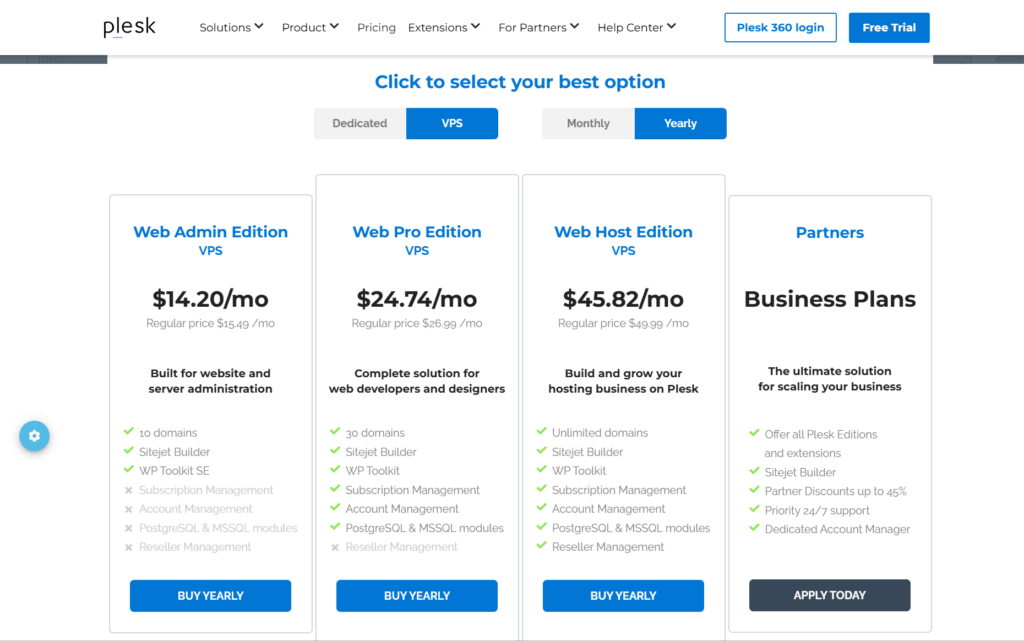
Plesk

Plesk

Plesk is a control panel that’s cross-platform, which works with both Linux and Windows dedicated servers, making it attractive to companies with varied hosting environments. One of the noticeable highlights of Plesk is the integrated WordPress toolkit, which makes staging, cloning, updating, and securing WordPress sites easier to manage.

Pros:

  • Has excellent Windows server support.
  • Dashboard is fully featured and WordPress-centric.
  • Great for small companies and enterprises.

Cons:

  • Pricing is on the more expensive end.
  • Offers a more tiring setup compared to lightweight solutions.

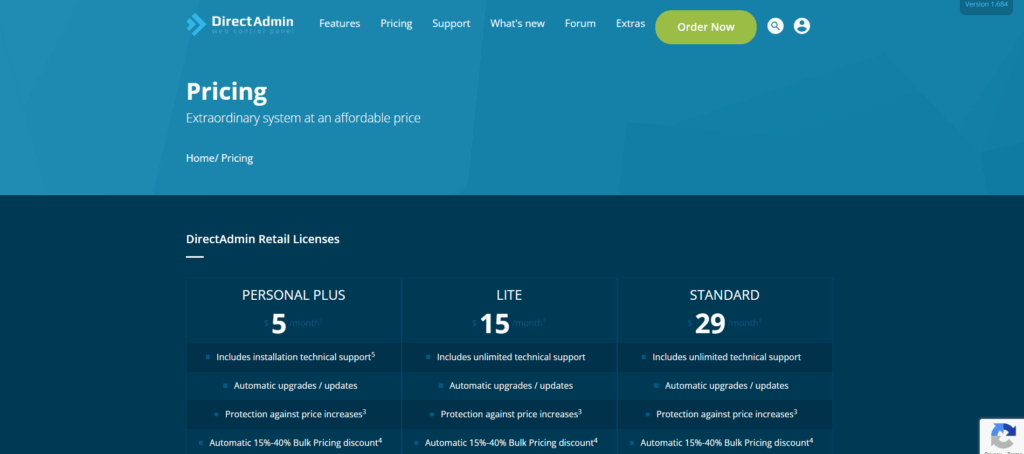
DirectAdmin

DirectAdmin

DirectAdmin is a less expensive and lightweight solution designed to be less resource-intensive. Intuitive and simple, the user interface is very fast and streamlined, which is one of the reasons it is very popular with hosting providers and companies looking for more budget-friendly options.

Pros:

  • Great performance with less resource consumption.
  • Cheap compared to cPanel and Plesk.
  • Easier to navigate for users with less advanced skills.

Cons:

  • You will find the panel more basic than its counterparts.
  • Has a less active user base and fewer available integrations.

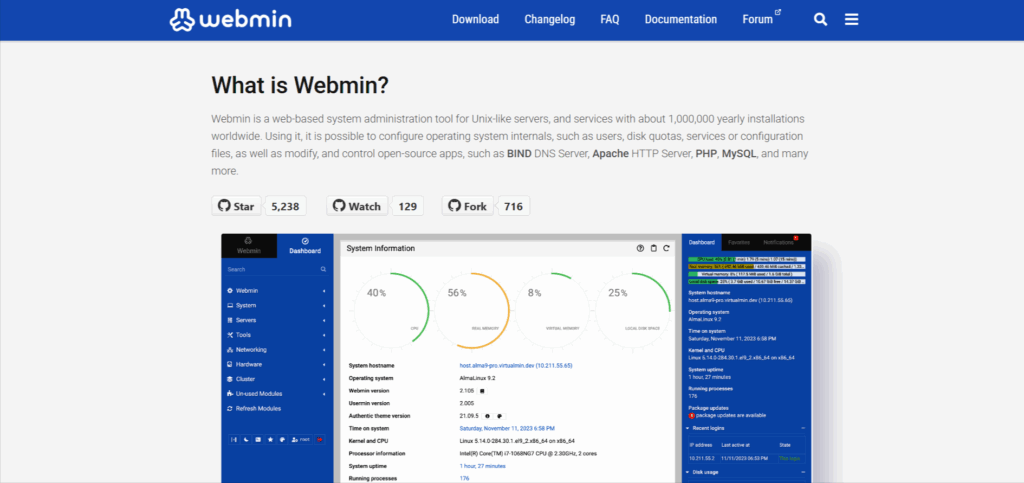
Webmin / Virtualmin

Webmin

Webmin and Virtualmin provide an option for open-source users. Their customizable and powerful server management systems are great for advanced users and system admins who desire configurability and flexibility. However, this software pairs better with users who have prior experience and are not new to server management. Webmin and Virtualmin are not as easy to use as other panels for novice users.

Pros:

  • No costs and open-source software with a great degree of individualization.
  • Amazing for technical developers and users.
  • Many updates and a very supportive ecosystem.

Cons:

  • More difficult for new users.
  • Some user interfaces may be considered dull.

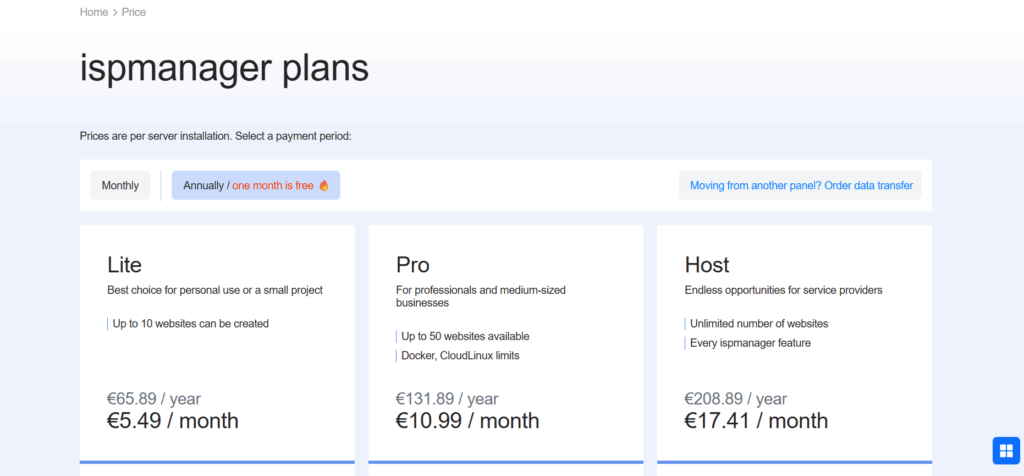
ISPmanager

ISPmanager

ISPmanager is a cost-effective website control panel that has developed a great deal of popularity in Europe and Asia. It allows users to manage websites through domain management and backup tools, as well as customizable strong features.

Pros:

  • More affordable in comparison to cPanel and Plesk.
  • User-friendly with configurability.
  • Value for small to medium-sized businesses.

Cons:

  • Fewer users worldwide in comparison to other panels
  • Fewer integrations with other software tools.

Key Factors to Compare

While deciding between cPanel and other advanced tools, you should focus on the features, control panel, budget, and the technical proficiency of the user.

Ease of Use

The ease of use of the control panel is very important for a large part of the server owners. Beginner-friendly panels like cPanel and Plesk feature guided and polished dashboards, one-click tools for applications, and guided domain and email management. Other options like Webmin/Virtualmin are for advanced and more technical users who are more interested in customization than ease of use, since their use involves more complex configuration.

Performance

No matter the business or size of the site, the control panel architecture should grow simultaneously along with the business. For hosting providers with cPanel and Plesk, the primary scalability panel works well with the derivatives’ corporate infrastructure, along with advanced multi-server and account management support. Small systems have been proven to work efficiently with these smaller panels, but inevitably, multi-system support becomes the lacking point.

Security

Every dedicated server should prioritize security. Automatic security features are provided by control panels in the form of SSL certificate management, firewalls, and self-updating control panels. But the frequency and robustness of those features are determined by the system in use. Mature and advanced cPanels come with more advanced and tested security features, while open source platforms like Webmin require users to monitor configuration to maintain safety.

Scalability

Your business or your website should be able to grow without hurdles or limitations, and so should your control panel. For hosting providers and enterprise-level deployment, Plesk and cPanel are well-designed. They offer advanced multi-server and account management. Smaller setups may do well with lighter panels, but these panels are not able to accommodate the large-scale operations.

Cost

The licensing differences between cPanel and some alternatives are a major differentiator. Most businesses dealing with several servers spend a lot of money on Plesk and cPanel. DirectAdmin and ISP managers offer a cheaper price point, and open source panels, like Webmin/Virtualmin, do not require a licensing fee. However, these may require extra time and effort to set up and maintain.

Support & Community

The experience gained from using a very strong control panel, like cPanel, can be very different from the experience a user gets using Webmin, which is supported mostly by community-driven forums. Professional documentation and support are available for Plesk and cPanel. This enables the user to spend more time focusing on the control panel, rather than figuring things out on their own.

Which One Should You Choose?

Given the various options, ‘best’ is subjective, and it is based on objectives, skillset, and available finances. Here is a guide on which solution will suit you the best.

For Beginners: cPanel or Plesk

cPanel and Plesk have user-friendly interfaces and streamline the administration of websites, domains, databases, and email accounts with one-click tools. Hosting industries mainly use cPanel, while Plesk provides added resources for users with Windows needs. These panels help novices who want to skip steep learning curves and get right into the action of managing their hosting environment.

For Budget-Conscious Users: DirectAdmin or Open-Source Panels

If the entire setup will be done with a tight budget, DirectAdmin and the open-source Webmin/Virtualmin are appealing options. DirectAdmin is reasonably priced and extremely lightweight, making it a good fit for personal projects and small businesses. Open source panels tend to eliminate licensing fees; however, it is not simple to set up and maintain. Users who are willing to work a bit for savings, these selections are ideal.

For Developers and Power Users: Webmin/Virtualmin

Webmin and Virtualmin are at the other end of the spectrum, as they offer server management at various depths and allow customization across many setups and configuration systems. This is not to say that it is best suited for novice users; this also makes it extremely suited for power users who love to tailor and customize their environments for maximum productivity and testing. 

For Enterprise and Cross-Platform Needs: Plesk

As is the case with many enterprises, there is a need for a control panel that can scale with the rest of the infrastructure and also function across many different systems. This is where Plesk excels with support for Linux dedicated servers and Windows servers, strong features for systems with multiple WordPress sites, and expansion features that are ready for enterprise infrastructure. This is especially the case for new organizations that have to deal with many websites, WordPress applications, and client accounts across different operating systems.

Final Thoughts: cPanel vs Modern Alternatives 

When it comes to managing a dedicated server, cPanel remains a trusted vendor, as it’s highly used, its interface and functionalities are simplistic. This is not to say that it hasn’t, over time, lost its charm; because it is expensive and highly computational, it can also be impractical to many users.

Plesk and DirectAdmin, Webmin and Virtualmin, and ISP fostered a trend with new alternatives to cPanel that have many more functionalities. Along with the fact that a panel with multiple features is now highly optimized to be more lightweight than cPanel.

In the end, what works best would depend on your needs, especially when it comes to saving money, simplicity, deeper customization, or the scale of the operation. The needs of an enterprise when it comes to deployments across multiple platforms are completely different from what a novice would require for a personal project.

Although the best way to look at the control panel is to spend a long time with one, testing a demo or trial version is worth your while too. Having a first-hand experience with the demo version would shape your understanding of your goals for the server, making your end decision much easier.

Ready to take the next step? Explore reliable dedicated server hosting with ProlimeHost and find the control panel that perfectly matches your needs.

FAQs

Q1. Why do I need a control panel for my dedicated server?

A control panel simplifies tasks like domains, emails, backups, security, etc. Rather than command-line tools, which require complex, time-consuming work, these modules are invaluable time-savers for any Desktop system.

Q2. Is cPanel still the best option in 2025?

While cPanel is one of the most liked modules and still widely used, it is definitely not the only one. Plesk, Direct Admin, and Webmin/ Virtualmin have comparable functionalities and are in competition for lower prices or system requirements.

Q3. Which control panel is best for beginners?

Almost every beginner in the field will agree that cPanel and Plesk are the easiest options thanks to their well-designed dashboards, one-click features, and extensive support.

Q4. What is the cheapest alternative to cPanel?

Out of the paid options, DirectAdmin is one of the lowest-cost options, while Webmin/Virtualmin is open-source and free, so it is a highly appealing option for those with a limited budget.

Q5. Can I use these control panels on both Linux and Windows servers?

Almost all control panels, cPanel and DirectAdmin included, are designed to run on the Linux OS. Plesk is the best alternative if you need a control panel designed for Windows servers.


The post cPanel vs. Modern Alternatives: What’s the Best Choice for Your Dedicated Server? first appeared on .

How Businesses Can Grow Fourfold with Dedicated Servers in 2025

In the fast-moving digital economy, growth isn’t a luxury—it’s survival. Every year, businesses are challenged to deliver faster websites, richer content, and smarter applications while keeping costs under control. In 2025, this balancing act is tougher than ever. AI-driven platforms, global streaming demands, and user expectations for instant response times have pushed traditional hosting models to their limits. I’m on web hosting forums everyday and can attest to an increasing number of threads and posts addressing these issues.

The good news? Dedicated servers remain the unsung powerhouse of business growth. Far from being outdated or expensive, they’ve evolved into the backbone of scalable, cost-efficient, and performance-driven infrastructure. For companies ready to expand, adopting dedicated hosting can be the difference between stagnant performance and growth that multiplies fourfold.

The Cost Factor: Why Dedicated Hosting is More Affordable Than It Looks

At first glance, dedicated servers may seem like a premium option. Their monthly price tags can be higher than shared hosting or even some entry-level cloud offerings. But sticker shock alone doesn’t reveal the true picture. When businesses measure total cost of ownership (TCO)—the full cost of performance, downtime, scalability, and user experience—dedicated servers often emerge as the smarter, more economical choice. It’s not just about hard dollar savings, it’s about soft dollar savings as well that determine an organization’s total cost of ownership.

Consider the unpredictability of cloud billing. Usage-based pricing models mean costs fluctuate depending on resource spikes, bandwidth consumption, and storage needs. A viral campaign, unexpected traffic surge, or AI workload can easily double or triple monthly cloud expenses. Dedicated servers, by contrast, deliver fixed monthly pricing. This predictability makes budgeting easier and shields businesses from unpleasant surprises. Trust me, the last thing you want is an invoice for cloud services that unexpectantly triples or quadruples from one month to the next.

Performance costs also add up. In cloud or shared environments, resources are rarely exclusive. You might share CPU, bandwidth, or disk I/O with other tenants—so-called “noisy neighbors.” Their activities can drain your performance, costing you sales, customers, or credibility. Dedicated hosting eliminates this issue: the entire server is yours, ensuring full resource allocation and consistent reliability.

Lastly, efficiency matters. A single high-powered dedicated server can often replace multiple fragmented cloud instances. That consolidation reduces complexity, lowers management overhead, and drives efficiency at scale. Add up the savings in hidden costs, downtime, and inefficiency, and the higher sticker price of dedicated servers begins to look more like a bargain.

Growth: From Stability to Scalability

Cost savings are only half the story. Dedicated servers don’t just save money—they actively fuel business growth by providing stability and scalability.

Stability starts with raw power. Equipped with high-performance CPUs, abundant RAM, and full-bandwidth allocation, dedicated servers are built to handle demanding workloads. E-commerce websites can withstand Black Friday surges, SaaS platforms can support global rollouts, and AI-driven applications can crunch vast datasets without fear of bottlenecks. For end users, this translates into faster load times, smoother interactions, and experiences that build loyalty.

Scalability is where the magic happens. As businesses grow, their infrastructure must expand in lockstep. Dedicated servers make this growth seamless. With GPU-enabled configurations, companies can run advanced AI models, real-time analytics, and content rendering tasks that would overwhelm shared or virtualized environments. In 2025, where AI is no longer an experiment but a necessity, GPU-ready dedicated servers offer the horsepower to stay competitive.

Pair this with modern CDNs (Content Delivery Networks) and edge delivery, and businesses gain a global reach without compromising speed. A customer in Tokyo experiences the same lightning-fast response as one in New York, thanks to infrastructure optimized for distributed delivery. That global capability, powered by dedicated hosting, is what transforms local startups into international brands.

Who Benefits Most?

The versatility of dedicated servers means they support a wide range of industries and business models.

For e-commerce brands, speed directly impacts sales. Studies consistently show that even a one-second delay in page load time can slash conversion rates. By hosting on dedicated servers, online stores eliminate lag, protect against downtime during peak traffic, and secure transactions with advanced SSL certificates.

Media companies, podcasters, and streaming platforms also thrive with dedicated hosting. High-bandwidth requirements, unpredictable traffic spikes, and the need for consistent delivery make shared or oversubscribed environments a liability. Dedicated servers provide the guaranteed throughput needed to deliver seamless experiences to audiences worldwide.

AI-driven startups and tech innovators face a different challenge: raw computing power. Training and deploying AI models demand GPUs and heavy processing. Dedicated servers configured for GPU acceleration offer the exact blend of power and control required to run workloads that would otherwise overwhelm cloud instances—or price them out of feasibility.

Meanwhile, enterprises and regulated industries prioritize security, compliance, and control. Healthcare providers, financial institutions, and legal firms need infrastructure that meets strict standards while allowing full customization. Dedicated servers, with their isolation, configurability, and optional managed services, offer a level of assurance shared environments can’t match.

In each case, the conclusion is the same: better infrastructure drives better performance, which directly fuels growth. Whether it’s more sales, more subscribers, or more innovation, dedicated hosting delivers.

The Security Advantage

Growth is meaningless without trust, and in 2025, trust is built on security. With rising cyber threats and increasing regulations, businesses can’t afford to cut corners.

Dedicated servers give organizations a security advantage by offering physical and logical isolation. Unlike shared or multi-tenant environments, your data and workloads aren’t sitting side by side with unknown third parties. This reduces exposure to cross-tenant attacks and allows for complete control over firewalls, intrusion detection, and encryption.

SSL certificates remain a cornerstone of trust. Businesses often debate between cPanel-issued certificates and free options like Let’s Encrypt. Both have their place, but dedicated hosting makes management easier by giving administrators direct control over implementation, renewals, and advanced configurations. For industries with compliance requirements, this level of control is non-negotiable.

Combined with AI-driven threat detection tools—monitoring traffic, identifying anomalies, and responding in real time—dedicated hosting provides the foundation for both compliance and customer confidence.

The ROI of Dedicated Hosting: Growth in Numbers

To make the case clearer, let’s look at potential ROI. Imagine an e-commerce site generating $50,000 monthly revenue with a 2% conversion rate. A one-second speed improvement can increase conversions by 10% or more, according to industry studies. That translates into an additional $5,000 per month—far exceeding the cost of a dedicated server.

Similarly, a media platform facing frequent buffering can see user churn decrease dramatically with dedicated bandwidth. Retaining just 5% more subscribers can multiply revenue streams year after year. For AI startups, reducing training time from weeks to days by leveraging GPU servers accelerates time-to-market, which is priceless in competitive industries.

In all these cases, the return on investment isn’t abstract—it’s measurable, tangible, and often immediate.

ProlimeHost’s Perspective

At ProlimeHost, we’ve seen this transformation play out countless times. Businesses migrate from shared hosting or unpredictable cloud environments to our dedicated hosting solutions and notice the difference right away. Faster websites, reduced downtime, and smoother operations become the norm. Over time, these improvements translate into stronger customer satisfaction, higher retention rates, and revenue growth that compounds.

Our clients span industries—from e-commerce and media to AI startups and enterprises. What unites them is the realization that infrastructure is not just an IT decision—it’s a growth strategy. ProlimeHost delivers predictable pricing, fully customizable server configurations, and GPU-enabled options that keep businesses ahead of 2025’s demands.

With our managed services, even organizations without in-house IT teams can take full advantage of dedicated hosting without the burden of server administration. That means growth-focused companies can stay focused on their customers while we handle the backend.

Ready to Grow Fourfold?

2025 isn’t the year to settle for “good enough” infrastructure. It’s the year to invest in the foundation that will drive sustainable, measurable growth. Dedicated servers aren’t just about raw power—they’re about enabling your business to scale confidently, serve customers globally, and seize opportunities that slower competitors miss.

If you’re ready to reduce costs, boost performance, and set the stage for growth that multiplies fourfold, the path forward is clear.

👉 Contact ProlimeHost today to explore dedicated server solutions designed to deliver growth, scalability, and unmatched performance.

You can reach us at sales@prolimehost.com or at 1 (877) 477-9454

The post How Businesses Can Grow Fourfold with Dedicated Servers in 2025 first appeared on .

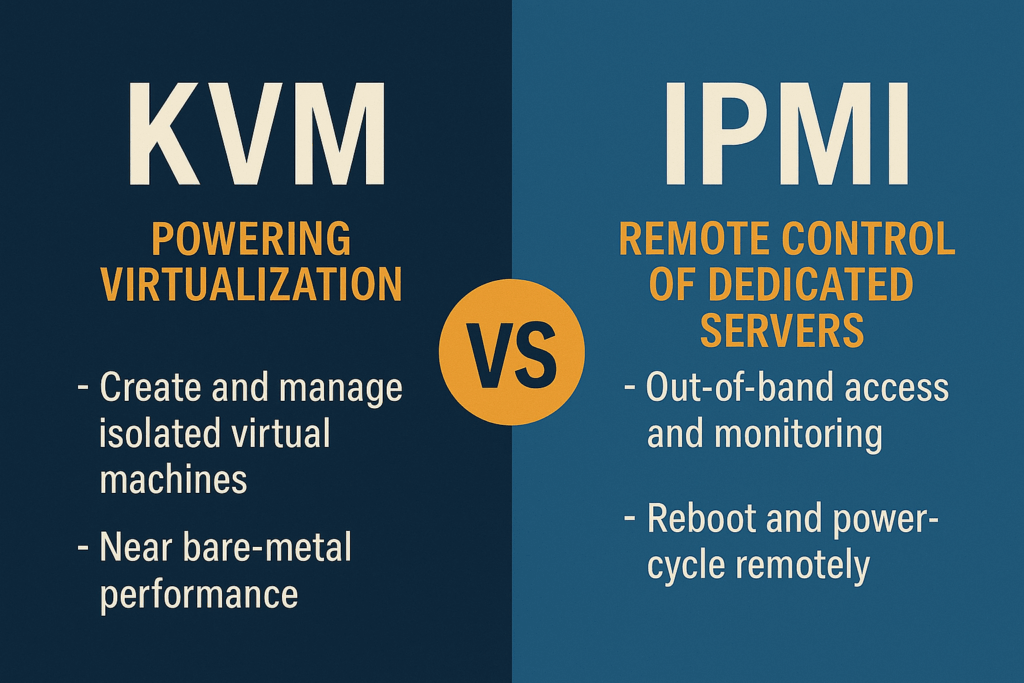
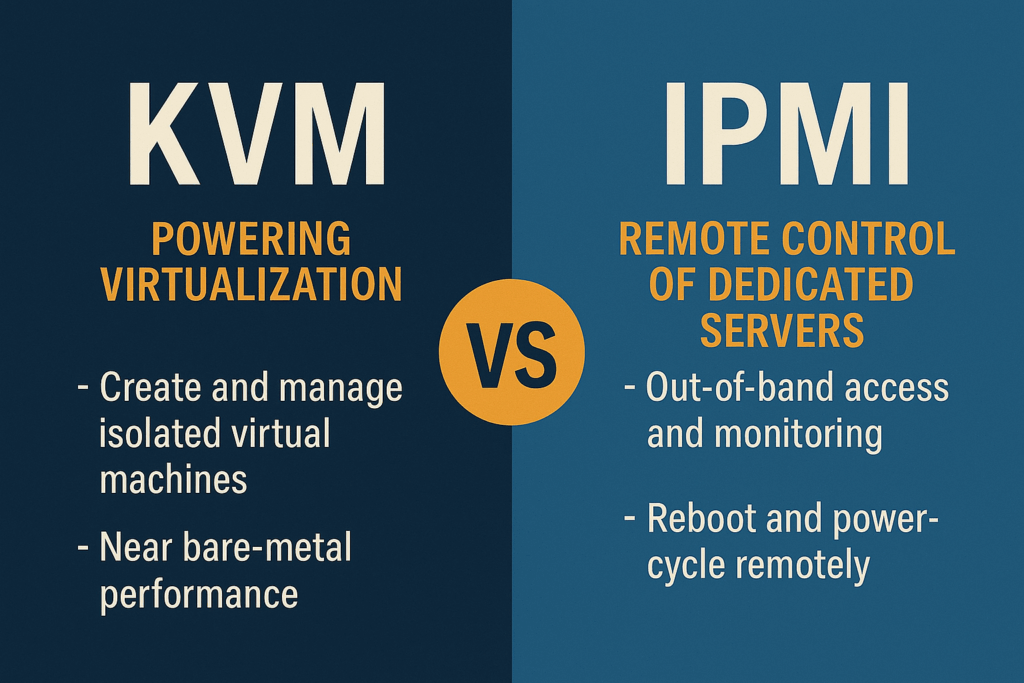
KVM vs IPMI Explained

KVM vs IPMI: What’s the Difference and Why ProlimeHost Uses Both

When it comes to server technology, two acronyms often surface in conversations: KVM and IPMI. While they sound similar, they serve very different purposes in the world of hosting. At ProlimeHost, we rely on both to deliver performance, flexibility, and complete control to our clients. Let’s break it down.

KVM: Powering Virtualization

KVM (Kernel-based Virtual Machine) is at the heart of modern VPS hosting. It’s a virtualization technology built into the Linux kernel, enabling a single physical server to run multiple isolated virtual machines.

With KVM, each VPS behaves like its own dedicated environment, complete with its own operating system, resources, and security boundaries. This makes it possible to:

  • Scale seamlessly as your business grows.

  • Run diverse workloads without sacrificing performance.

  • Deliver VPS hosting with near bare-metal speeds.

At ProlimeHost, KVM powers our VPS solutions, giving clients the flexibility of the cloud with the reliability of dedicated infrastructure.

IPMI: Remote Control of Dedicated Servers

IPMI (Intelligent Platform Management Interface), on the other hand, is about management and control at the hardware level. Integrated into a server’s motherboard, IPMI allows administrators to:

  • Reboot or power-cycle servers remotely.

  • Monitor hardware health like fans, temperature, and sensors.

  • Access the console even if the operating system is unresponsive.

In other words, IPMI is your out-of-band lifeline—keeping you in control when the OS is down or when you need to troubleshoot without being physically present at the data center.

At ProlimeHost, IPMI is a standard feature of our dedicated servers, giving clients full transparency and hands-on control, no matter where they are.

ProlimeHost’s Perspective

While KVM and IPMI serve different roles, they complement each other beautifully.

  • KVM fuels the scalability and efficiency of our VPS hosting.

  • IPMI ensures autonomy and resilience for dedicated server clients.

By embracing both, ProlimeHost gives businesses the tools they need—whether they want the agility of virtualization or the independence of true dedicated hardware.


My Thoughts

KVM and IPMI may sound like industry jargon, but at their core, they’re about empowering you with performance, flexibility, and control. ProlimeHost uses both to make sure your hosting environment runs smoothly, no matter the workload.

👉 Ready to experience hosting that combines the best of virtualization and hardware control?

Explore ProlimeHost VPS Hosting and Dedicated Servers today, and take your business to the next level.

You can reach us at sales@prolimehost.com or at 1 (877) 477-9454

The post KVM vs IPMI Explained first appeared on .

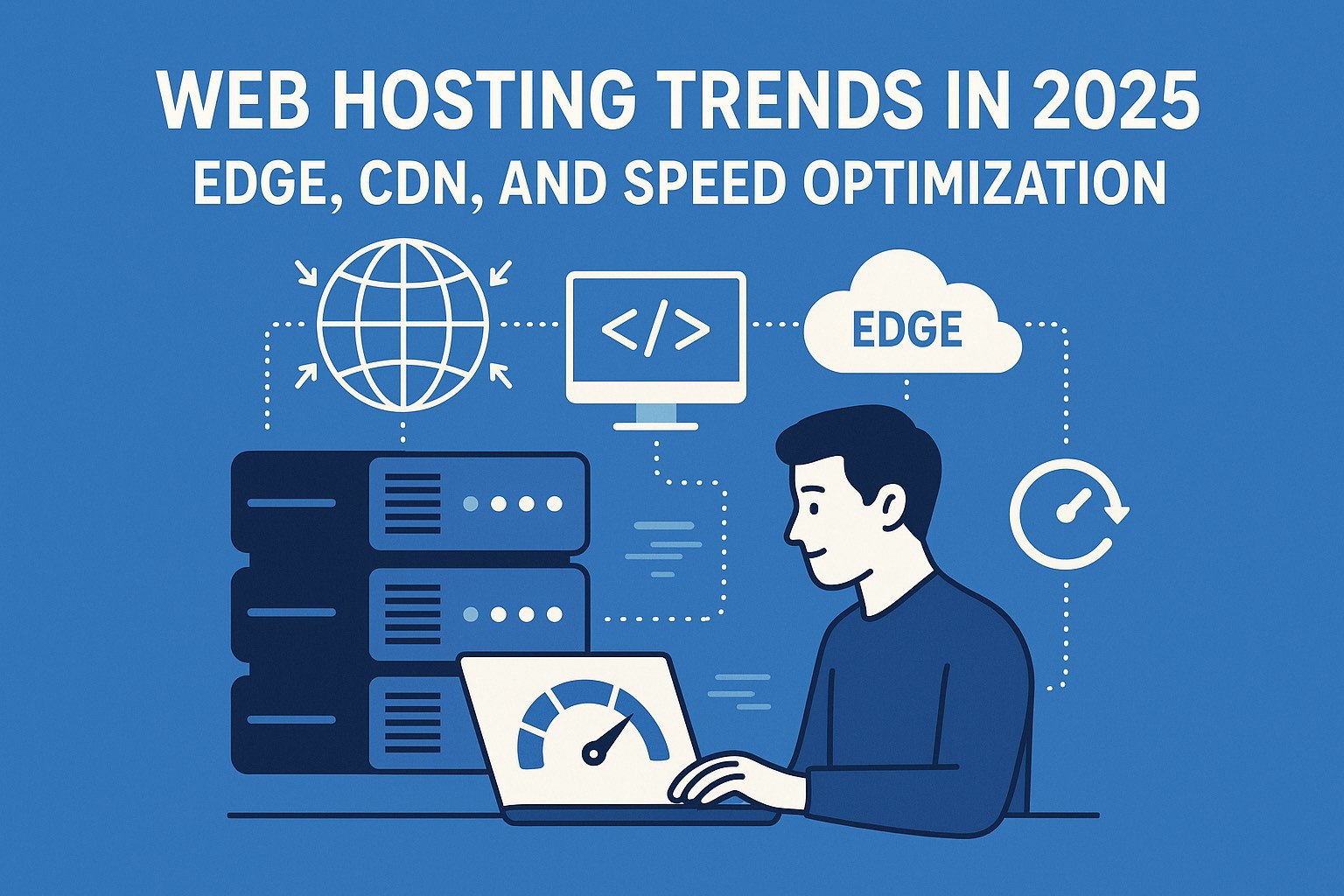
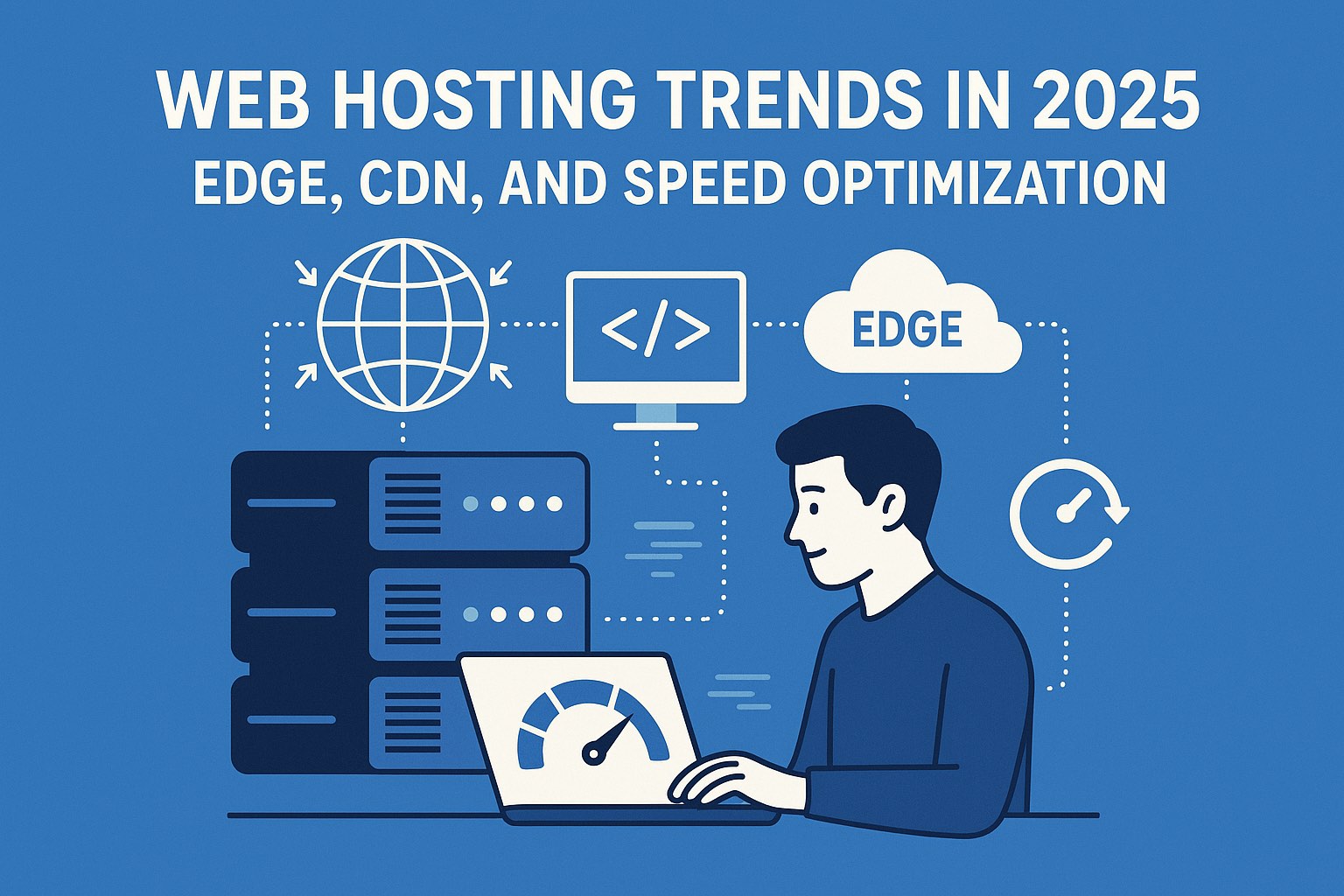
Latest Hosting Trends in 2025: Edge, CDN, and Speed Optimization

Web Hosting Trends in 2025: Edge, CDN, and Speed Optimization

Edge, CDN, and Speed Optimization: In 2025, speed is strategy. Fast-loading websites are no longer a luxury but a necessity, shaping user satisfaction, SEO rankings, and business outcomes. Visitors expect seamless experiences, and even small delays can mean lost engagement or revenue. With Google’s Core Web Vitals now influencing search visibility, the performance of a website has become as critical as its design or content.

New technologies are reshaping how speed is delivered. Edge computing is reducing latency by moving data processing closer to the user, enabling real-time applications and personalized content without delays.

Advanced content delivery networks (CDNs) are evolving from simple caching tools into intelligent systems that accelerate both static and dynamic content, while modern protocols such as HTTP/3 and QUIC are driving faster, more reliable connections.

Meanwhile, AI-driven traffic management is making it possible to scale seamlessly, routing requests intelligently to ensure stability and speed even during heavy traffic surges.

From ProlimeHost’s perspective, performance optimization sits at the heart of everything we deliver. We view a website not just as a digital presence but as a living, revenue-driving asset. That’s why our infrastructure emphasizes speed at every level, from NVMe storage to enterprise-grade networking.  By incorporating AI into routing and load balancing, we ensure that our clients’ sites remain consistently fast and available, regardless of traffic demands.

In short, ProlimeHost treats speed not as a feature but as a guarantee. By incorporating  intelligent traffic management into our hosting environment, we help businesses meet and exceed the rising expectations of the digital world. For our clients, that means more than just faster load times—it means a stronger competitive advantage in 2025 and beyond.

My Thoughts

The web hosting landscape in 2025 is defined by speed, intelligence, and adaptability. From AI-driven automation and hybrid deployments to green hosting and edge optimization, the trends shaping this year make one thing clear: businesses can no longer afford to treat hosting as an afterthought. Reliable, future-ready infrastructure is now the backbone of digital success.

At ProlimeHost, we’re committed to helping businesses harness these innovations with hosting solutions that deliver performance, security, and scalability—backed by expert support every step of the way. Whether you’re looking to deploy AI-driven applications, scale rapidly with dedicated or VPS hosting, or optimize global reach with trending technology, ProlimeHost provides the foundation to keep you ahead of the competition.

👉 Ready to future-proof your business? Contact ProlimeHost today at sales@prolimehost.com or call us at 1 (877) 477-9454  and discover how our hosting solutions can power your success in 2025 and beyond.

The post Latest Hosting Trends in 2025: Edge, CDN, and Speed Optimization first appeared on .

Web Hosting Trends in 2025: How AI & Automation Are Transforming the Industry

The web hosting landscape in 2025 looks very different from just a few years ago. Businesses no longer settle for basic uptime guarantees or generic support—they want intelligent, secure, and cost-efficient hosting solutions that grow with them. At the heart of this shift are artificial intelligence (AI) and automation, technologies that are redefining customer support, server performance, content delivery, and cybersecurity. Trust me, I’m on web hosting forums everyday and the primary focus there is AI.

Smarter Support Experiences

Customer support has always been a cornerstone of hosting, but AI is pushing it to a new level. Hosting providers are increasingly relying on AI-driven support systems that don’t just react to issues—they anticipate them.

By analyzing patterns of resource usage, AI can detect potential performance problems before they cause downtime. Automated chat systems, available around the clock and in multiple languages, resolve common questions instantly while leaving human engineers free to handle more complex challenges.

This combination of predictive support and intelligent automation is creating a faster, more reliable, and more satisfying experience for customers.

Continuous Optimization in Real Time

Server optimization, once a manual and time-consuming process, has been transformed by automation. In 2025, AI monitors infrastructure continuously, shifting workloads to avoid bottlenecks and scaling resources in real time to match demand.

This not only improves performance but also eliminates waste by reducing idle server usage. Businesses benefit from more consistent speed, lower operating costs, and a hosting environment that adapts fluidly to their needs. With sustainability becoming a global priority, these AI-driven efficiencies also help data centers meet environmental goals.

Intelligent Content Delivery

Web hosting has evolved beyond simply storing and serving files. Today, hosting platforms powered by AI actively enhance the way content reaches users. By integrating AI with content delivery networks (CDNs), websites can serve personalized content from edge servers located closer to the user, dramatically reducing latency.

Smart caching anticipates traffic spikes, whether from flash sales or viral content, and ensures assets are pre-loaded and ready. At the same time, automated tools assist businesses with SEO by generating optimized metadata and performance insights, making websites not only faster but also smarter.

Security at Machine Speed

Perhaps the most critical area where AI is making an impact is security. Cyber threats in 2025 are more sophisticated than ever, and traditional manual defenses are no longer enough.

AI enables hosting providers to detect and neutralize attacks in real time. From identifying distributed denial-of-service patterns to blocking brute-force logins or malware injections, machine learning tools act as digital guardians around the clock.

Automated patching ensures vulnerabilities are fixed instantly across infrastructures, while compliance systems simplify meeting regulatory standards such as GDPR or HIPAA. For businesses, this means stronger protection with far less risk of disruption.

Why AI and Automation Matter Now

The rapid rise of AI and automation in hosting isn’t just about convenience—it’s about competitiveness. Businesses need hosting environments that can scale instantly, provide consistent reliability, and defend against an ever-growing range of cyber threats.

Customers expect seamless support and near-perfect uptime, while providers are under pressure to deliver better performance at lower costs. At the same time, sustainability goals are pushing the industry toward greener, more efficient operations. AI and automation are the technologies making all of this possible.

How and Why to Contact ProlimeHost for Your AI Requirements

Artificial intelligence is no longer a futuristic concept—it’s powering real-world applications across industries right now. From natural language processing and computer vision to predictive analytics and recommendation engines, businesses are harnessing AI to gain a competitive edge. But AI requires more than just algorithms; it demands robust infrastructure capable of handling high-performance computing, large datasets, and resource-intensive workloads. That’s where ProlimeHost comes in.

Why ProlimeHost is the Right Partner for AI

At ProlimeHost, we specialize in providing the dedicated GPU servers, scalable infrastructure, and enterprise-grade reliability that AI workloads demand. Unlike traditional hosting setups, AI environments need massive processing power, rapid data throughput, and the flexibility to scale as projects evolve. Our hosting solutions are designed with these requirements in mind, ensuring that data scientists, researchers, and businesses can run AI models efficiently without worrying about downtime or lag.

We also recognize that AI projects are not one-size-fits-all. Whether you’re training deep learning models, running inference at scale, or building AI-powered SaaS applications, we tailor solutions that meet your exact technical and budgetary needs. By leveraging ProlimeHost, you gain a hosting partner who understands the nuances of AI infrastructure, not just general-purpose servers.

How to Get Started with ProlimeHost

Contacting us is simple—and our team is ready to walk you through every step:

  1. Reach out directly through our website’s contact form or live chat for immediate guidance.

  2. Consult with our experts to assess your specific AI requirements—GPU type, storage needs, network speed, or compliance requirements. Reach out to us at 1 (877) 477-9454 or email us at sales@prolimehost.com.

  3. Get a customized hosting plan that aligns with your project’s scale and objectives, whether it’s a proof of concept or enterprise-grade deployment.

By starting with a direct consultation, you’ll save time and resources while ensuring your infrastructure is fully optimized for AI.

Why Now is the Time to Act

AI adoption is accelerating rapidly across industries, and organizations that invest early in the right infrastructure are gaining measurable advantages. With ProlimeHost, you don’t just get hardware—you gain a partner committed to reliability, performance, and scalability. By contacting us today, you can accelerate your AI initiatives and ensure your business remains at the forefront of innovation in 2025 and beyond.

My Thoughts

Your AI projects deserve more than shared environments or generic hosting. They require dedicated infrastructure that’s secure, powerful, and built for growth. ProlimeHost provides exactly that. Whether you’re launching your first AI application or scaling enterprise-level models, we’re here to support you every step of the way.

👉 Contact ProlimeHost today to discuss your AI requirements—and take the first step toward unlocking the full potential of artificial intelligence.

At ProlimeHost, we are committed to leading this transformation with intelligent, reliable, and future-ready hosting solutions designed to support growth, security, and sustainability.

The post Web Hosting Trends in 2025: How AI & Automation Are Transforming the Industry first appeared on .

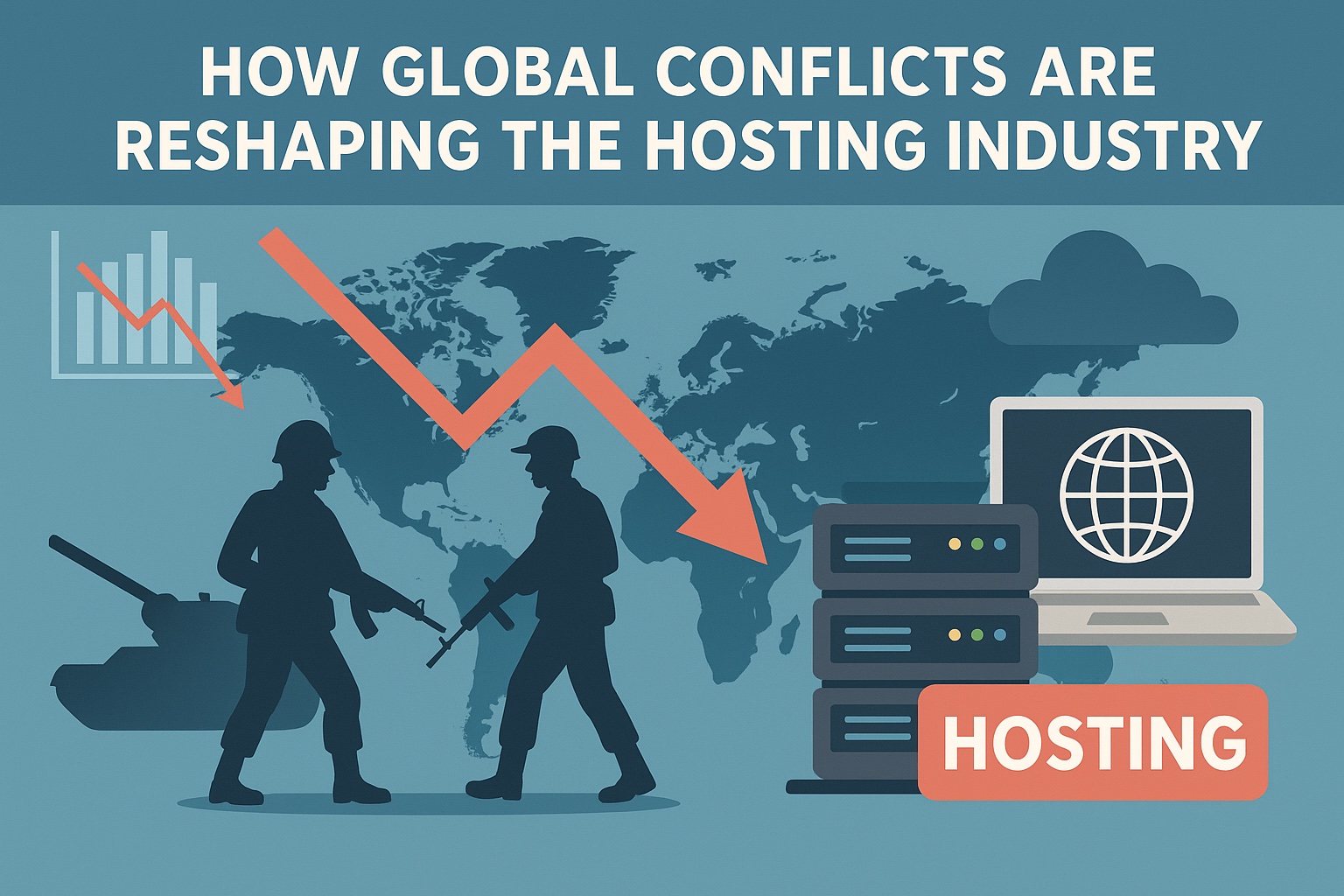
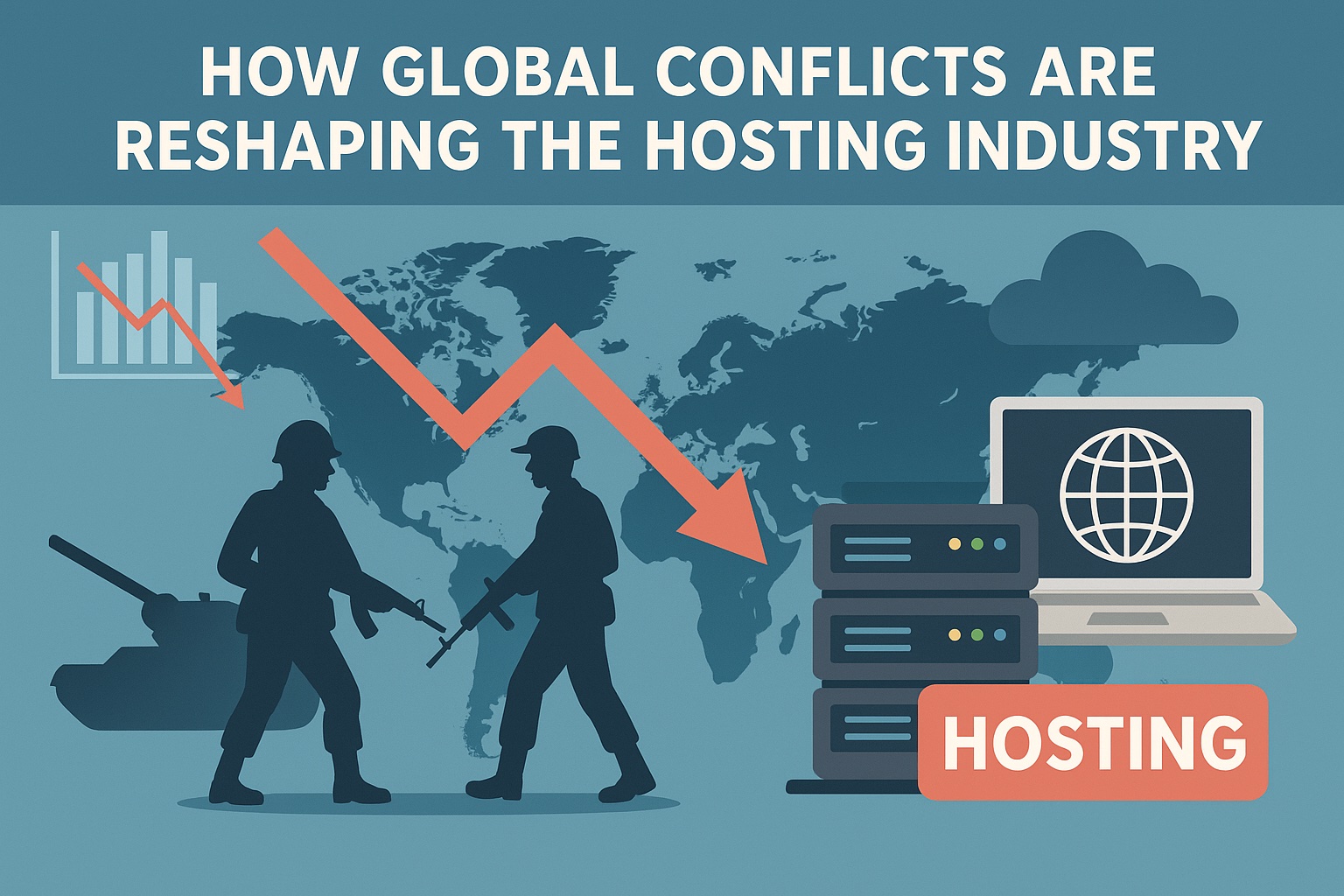
How Global Conflicts Are Reshaping the Hosting Industry

How Global Conflicts Are Reshaping the Hosting Industry

In an increasingly interconnected world, the hosting industry—encompassing web hosting, cloud services, and data centers—has become a critical backbone for businesses, governments, and everyday digital life. However, ongoing global conflicts, from the Russia-Ukraine war to the Israel-Hamas conflict and escalating US-China tensions, are introducing unprecedented challenges and transformations.

These geopolitical upheavals are not just distant news headlines; they’re directly influencing supply chains, regulatory landscapes, cybersecurity postures, and even the physical locations of data infrastructure.

As we navigate 2025, understanding these impacts is essential for industry stakeholders. This article explores the multifaceted ways world conflicts are affecting the hosting sector and ProlimeHost.

Supply Chain Disruptions and Rising Costs

One of the most immediate effects of global conflicts on the hosting industry is the disruption of supply chains for essential hardware. Data centers rely heavily on components like servers, GPUs, and networking equipment, much of which is manufactured in regions prone to geopolitical tensions, such as China, Taiwan, and parts of Europe.

US tariffs, particularly those imposed under Section 301 and recent escalations reaching up to 145% on Chinese goods, have driven up costs for cloud infrastructure. These tariffs affect imports of critical electronics, leading major providers like AWS, Microsoft Azure, and Google Cloud to absorb initial cost increases, but smaller operators face steeper challenges, potentially raising prices for end-users or delaying expansions.

In response, companies are shifting manufacturing to tariff-exempt regions like Mexico and Canada under the USMCA, with Mexico poised for 20-30% growth in data center hardware exports this year. This relocation not only increases short-term capital expenditures but also risks broader trade wars, as seen in China’s retaliatory 34% tariffs on US imports.

It should be noted that the legality of recent US tariffs is under judicial review, with the White House appealing the lower courts ruling.

Broader supply chain vulnerabilities are exacerbated by conflicts. For instance, the Russia-Ukraine war has highlighted dependencies on global logistics, with sanctions forcing rerouting of shipments and contributing to delays in data center buildouts. Similarly, tensions in the Middle East could disrupt shipping routes through key chokepoints like the Strait of Hormuz, indirectly affecting hardware deliveries to data centers worldwide.

Data Sovereignty and Regulatory Shifts

Geopolitical conflicts are accelerating demands for data sovereignty, where governments insist on local control over data to protect national interests. This trend is reshaping how hosting providers operate, often requiring them to build region-specific infrastructure.

In the wake of the Russia-Ukraine conflict, Ukraine has amended laws to permit government data storage in international clouds for resilience, while Russia has tightened localization rules, mandating domestic processing and banning foreign databases for citizen data.

This regulatory fragmentation—now seen in over 100 measures across 40 countries—increases operational costs by up to 55% and complicates global strategies for providers. Enterprises are responding by repatriating data from public clouds to on-premises or private setups, driven by sovereignty concerns and fears of foreign government access under laws like the US CLOUD Act.

In Europe, US-China tensions and transatlantic disputes over data privacy are fueling “sovereign cloud” initiatives, where providers must ensure data stays within EU borders to avoid geopolitical leverage points. This has led to a surge in hybrid cloud adoption, balancing global scalability with local compliance, but it erodes the cost efficiencies that made public clouds attractive.

Heightened Cybersecurity Threats

Conflicts often spill over into the digital realm, with state-sponsored cyber attacks targeting critical infrastructure, including hosting services. The hosting industry, as a hub for vast data troves, is particularly vulnerable.

The Russia-Ukraine war has seen a 48% spike in cyber incidents in Ukraine, involving APT groups deploying malware against cloud-hosted systems and critical sectors like energy and telecom. These attacks exploit vulnerabilities in APIs and virtualization, extending risks to Western providers supporting Ukraine. Similarly, the Israel-Hamas conflict has amplified cyber threats, with DDoS attacks targeting Israel’s computer software industry (34% of incidents) and absorbing cybersecurity manpower through reservist call-ups. This not only strains operations but also heightens global risks, as conflicts weaponize digital dependencies.

Geopolitical targeting adds another layer: scenarios like government data seizures or sanctions could disrupt cloud access, prompting providers to enhance resilience through multi-region deployments and zero-trust architectures.

Market Dynamics and Infrastructure Relocation

The hosting market is undergoing a geopolitical redraw, with conflicts influencing where data centers are built and who dominates the space. Tariffs and trade tensions are shifting investments away from high-risk areas like Asia toward “friendly” regions.

For example, US policies are accelerating data center growth in North America, with exemptions boosting Mexico as a hub and potentially slowing Asian exports by 15-25%. The AI boom amplifies this, as conflicts over technology access (e.g., US export controls on chips to China) force providers to localize supply chains. In the Middle East, the Israel-Hamas war has indirectly benefited the industry by increasing reliance on cloud services for military and surveillance needs, with providers like Amazon, Google, and Microsoft deepening ties despite controversies.

However, these shifts come with hurdles: power shortages, sustainability concerns, and economic uncertainty from conflicts could delay projects, with 40% of businesses postponing cloud migrations due to trade tensions.

Case Studies: Real-World Impacts

  • Russia-Ukraine War: Sanctions have led major CSPs (cloud service providers) to suspend Russian operations, reshaping market access and boosting sovereign cloud demand.
  • Israel-Hamas Conflict: Manpower shortages from reservists and cyber attacks are straining Israeli tech firms, a key player in global hosting innovation.
  • US-China Tensions: Tariffs are fragmenting supply chains, prompting a “gold rush” in alternative data center locations while hindering global collaboration.

Looking Ahead: Strategies for Resilience

As conflicts persist, the hosting industry must prioritize geopolitically informed strategies. This includes diversifying supply chains, investing in sovereign-compliant infrastructure, and bolstering cybersecurity. Hybrid models offer flexibility, while AI-driven risk assessments can help predict disruptions. Ultimately, while these challenges pose risks, they also drive innovation, potentially leading to a more robust, decentralized global hosting ecosystem.

ProlimeHost, a global web hosting provider specializing in dedicated servers, GPU servers, and VPS solutions, has positioned itself to navigate the challenges posed by global conflicts in the hosting industry through a combination of infrastructure resilience, cybersecurity fortifications, and strategic geographic diversification.

Our operational framework addresses key pain points such as supply chain vulnerabilities, heightened cyber threats, data sovereignty concerns, and infrastructure disruptions. Below, I’ll break down our preparations.

Geographic Diversification and Infrastructure Resilience

Global conflicts often disrupt physical infrastructure and supply chains, as seen with trade tariffs and logistics rerouting. ProlimeHost mitigates this by operating data centers in multiple stable regions: Los Angeles, Dallas, New York, Utah (all in the US), and Singapore. This spread reduces dependency on any single location, allowing for failover and continuity if one area faces conflict-related issues, such as power grid attacks or regional sanctions.

Our infrastructure emphasizes redundancy:

  • Power and Network Redundancy: N+1 power setups, dual grid utility feeds, and multi-100Gbps Tier-1 connectivity from carriers like Level3, NTT, Zayo, Telia, and China Unicom ensure fault-tolerance. This is crucial for handling disruptions from conflicts, like those affecting energy supplies in Europe or Asia.
  • Uptime Guarantee: A 99.99% network uptime SLA, backed by four-hour hardware replacement and IPMI for remote management, supports business continuity.
  • China-Optimized Routes: Specialized low-latency connections for Asia-Pacific users address potential US-China trade frictions, which have imposed tariffs up to 145% on electronics and slowed hardware imports. By optimizing routes from Los Angeles, we minimize packet loss and jitter, helping clients bypass some geopolitical bandwidth constraints.

Hardware from reliable vendors like Dell, Cisco, VMware, and Netapp further bolsters supply chain resilience.

Enhanced Cybersecurity Measures

Conflicts frequently escalate cyber threats, with state actors targeting hosting providers (e.g., a 48% spike in Ukraine-related incidents). ProlimeHost prepares through proactive security protocols:

  • Server Hardening and Firewalls: We offer server hardening, CSF/LFD firewall configurations for brute-force detection and SYN flood protection, and Mod Security rulesets to counter SQL injections and malware.
  • Encryption and Threat Scanning: Recommendations include TLS encryption for all traffic, regular patching, and tools like Emsisoft Anti-Malware and Rkhunter for rootkit detection. Our blog highlights the need for these amid advancing cyber-criminal attacks in 2025.
  • DDoS Protection and Compliance: Built-in DDoS mitigation, multiple security channels to prevent breaches, and tailored compliance for standards like HIPAA and PCI-DSS. This is vital for sectors vulnerable to conflict-spillover attacks, such as those seen in Israel-Hamas cyber escalations.
  • Managed Services: Fully managed options include real-time monitoring, updates, and troubleshooting, with 24/7 expert support to respond swiftly to threats.

User reviews praise their reliability, with one noting a “world-class experience” and constant readiness to help, underscoring practical resilience.

Data Sovereignty and Regulatory Adaptability

Rising data localization laws from conflicts (e.g., Russia’s mandates post-Ukraine invasion) push for sovereign clouds. Our multi-region setup allows clients to select data centers based on regulatory needs. Our customizable configurations and compliance support enable adaptation to varying global regulations, reducing risks from cross-border data access laws like the US CLOUD Act.

Overall Strategy and Limitations

ProlimeHost’s approach leans on enterprise-grade and client-focused customization to foster long-term stability. By avoiding budget pitfalls like unreliable hardware—which could exacerbate conflict-driven shortages—we emphasize premium leasing with scalable upgrades.

In this volatile era, staying agile isn’t just an option—it’s a necessity for survival in the hosting world.

ProlimeHost is well-prepared through redundant, secure, and diversified operations, making it resilient to the hosting industry’s geopolitical headwinds. For tailored advice, contact our sales team at sales@prolimehost.com or reach out to us at 1(877) 477-9454.

The post How Global Conflicts Are Reshaping the Hosting Industry first appeared on .

Why Los Angeles Servers Are the Perfect Gateway for China and USA Clients

Why Los Angeles Servers Are the Perfect Gateway for China and USA Clients

Los Angeles is a strong candidate as a server location for the USA and China. The city has cable systems and robust interconnections with the Asia Pacific region, making it an attractive hub for companies with customers and prospects on both sides of the Pacific.

Los Angeles: The Gateway Across the Pacific

Los Angeles is not only a center for culture and business, but it is also one of the best-positioned cities in the USA for technology and the internet. Located on the edge of the Pacific Ocean, Los Angeles has a geographical advantage for companies that need to connect Asia and North America.

For companies in China, hosting data in Los Angeles provides lower latency when serving customers in the United States. On the other hand, US companies enjoy Los Angeles’ closeness to Asia, which provides faster, more dependable access to the Chinese market compared to other American cities.

As Los Angeles is also connected to major metropolitan areas across the United States, from New York to Chicago and to Dallas, it serves as the perfect midpoint for companies that need to accomplish a balance between international and domestic operations. In simple words, Los Angeles is the ultimate gateway for businesses that wish to expand across the two continents.

World-Class Data Centers in LA

It is not only the geography that makes the Los Angeles servers shine, but also the innovative and highly developed technology that they are equipped with. An advanced data center that is equipped with a direct connection to a Tier-1 network and other major internet exchanges is one of the biggest data centers in Los Angeles. This allows the companies to enjoy an uninterrupted and seamless flow of data across the globe.

Redundancy systems can prevent power outages, cooling failures, or disruptions and ensure system uptime during peak demand for the Center in Los Angeles. With multiple power backups, advanced cooling, and enterprise-grade security, these facilities deliver the stability businesses need for mission-critical applications.

Faster Connections for China-Based Clients

Companies from China competing for the US market face many problems, one of the most prominent being latency, the delay in data transmission between the servers and the end user. Los Angeles hosting solves this problem almost entirely by shortening the route over the Pacific for the delivery of content, applications, and services over the Internet. 

Such latency improvements are essential for ecommerce and SaaS platforms and mobile applications, where even seconds of delay can cause dropped/lost sales and poor user engagement. Hosting in Los Angeles enables Chinese companies to offer a better, more dependable service to their US clientele, which builds confidence and improves conversions. 

In short, hosting on LA servers offers a more reliable service to Chinese companies that want to improve their market reach, which in turn facilitates better service to US customers.

Better Access for US Companies Expanding to China

For American companies venturing into the Chinese market, the server location can prove pivotal. Los Angeles hosting promotes direct and improved routes with the Asian continent, decreasing latency and permitting quicker access to websites, apps, and online services for Chinese users.

This is extremely crucial for the ecommerce, media, and SaaS verticals, where customer experience is tightly correlated to customer acquisition and retention. Compared to most inland server locations, where users typically experience latency-dependent performance, Los Angeles hosting offers smooth and reliable performance for customers located in China and surrounding regions.

The best part is that companies do not have the pain of physically transferring the infrastructure or the hassle with server setups in China. LA hosting allows American companies to provide their Chinese clients with a seamless experience while keeping their operational activities securely within the United States.

A Balanced Solution for Global Businesses

One of the most prevalent problems that arises in multinational corporations is the location of their servers. A business that opts for the US-only setup has American clients who enjoy fast performance, but clients that are in Asia have much slower load times with higher latency. Conversely, if the servers are only located in Asia, then the reverse is true. In this scenario, clients in the US have to deal with frustrating slow performance, while clients in China and the surrounding regions have much smoother access.

This situation could greatly affect the growth of the business while also providing a bad experience to the users. In the modern marketplace, slow websites and lagging applications are of no use, as people will move to competitors. For companies that need to serve both markets effectively, neither extreme offers a complete solution.

This is when Los Angeles hosting comes in, as it is the best balance between the two poles. Since LA is located on the Western Coast of the US, LA servers have optimized performance for both domestic users and for users outside of the country. Clients that are in the US enjoy fast and reliable performance due to the direct trans-Pacific routes, while clients that are in China and the Asia-Pacific region enjoy low latency.

Key Benefits

Having servers in Los Angeles allows companies to:

  • Streamline disparate loads around the world – American and Asian customers can access the website seamlessly without the delays on either side.
  • Reduce costly replicated infrastructure – No need to set up separate server environments in multiple areas just to keep users satisfied.
  • Coordinate operations more effectively — Both sides of the Pacific can be efficiently served with a core, strategically located center in Los Angeles.

In fact, Los Angeles serves provide a centralized economic point for global companies. They allow the companies to enjoy the best of both worlds, giving strong American coverage and seamless overseas access. For companies with intentions of expanding internationally, being served in Los Angeles is far more than an added convenience; it’s a strong competitive edge.

Industries That Rely on LA Hosting

It is not only the geographical location of these servers that makes Los Angeles servers special, but also the ability to fulfill the unique requirements of the world’s businesses that operate in a global environment where speed, dependability, and coverage are vital. These cross-border sectors enjoy the highest benefits:

  • Ecommerce: Online shops that sell to users from America to China need to have extremely reliable and fast-loading web pages. Los Angeles hosting helps customers enjoy a smoother checkout and reduced abandoned carts, which leads to higher cross-border client satisfaction.
  • Broadcasting, Media, and Entertainment Companies: They have to comply with almost real-time latencies and high demand bandwidth; it is of utmost convenience that the data centers provide ultra-low latency for seamless listening and viewing experiences when hosting from Los Angeles.
  • Online Gaming and SaaS Companies: Real-time performance is required from the streamers and the software users, and Los Angeles serves as the solution to lag, downtime, and any disruption that is needed for consistent and reliable access in both the US and Asia.

How to Get Hosting in Los Angeles with Prolime Host

PTOLIME

Getting started with Los Angeles hosting doesn’t have to be complicated. With Prolime Host, businesses targeting both China and USA clients can easily find a solution that matches their needs and growth plans. Here’s how to get started:

Step 1: Choose the Right Hosting Plan

Businesses can get the most power, performance, and control with Prolime Host’s dedicated server solutions.  High-traffic websites, resource-intensive apps, and businesses that require enterprise-grade dependability without the constraints of shared or virtual environments are best suited for dedicated servers.

Step 2: Rely on Proven Reliability and Support

All Prolime Host clients can attest with high regard to the uptime guarantees, along with Tier-1 network connections and dependable technical assistance. With the best Los Angeles data center servers, you obtain enterprise-grade performance with responsive support from Prolime Host.

Step 3: Onboard with Ease

The setup process is straightforward. Prolime Host’s team assists you with migration, configuration, and optimization so your website or application runs smoothly from day one. This makes it especially easy for businesses serving cross-Pacific markets to get up and running without technical roadblocks.

Having Prolime Host with you, deploying from Los Angeles, offers you steady, secure, and seamless service as you extend your service to clients in the United States and China.

Conclusion

Los Angeles is the ideal hosting hub for bridging the digital divide between China and the US.  It is the best option for companies that need to operate efficiently on both sides of the ocean because of its advantageous location, strong data center infrastructure, and direct trans-Pacific connectivity.

 Businesses can benefit from Los Angeles servers’ dependability, speed, and balanced performance, all of which are essential for media companies, SaaS providers, e-commerce platforms, and multinational corporations.  Businesses can confidently serve both markets rather than choosing one over the other.

Now is the ideal moment to check out Prolime Host’s Los Angeles hosting options if your objective is to grow across the Pacific and provide clients in China and the USA with an exceptional experience.  Prolime Host makes international connectivity easy, safe, and scalable with its tested infrastructure, knowledgeable support, and adaptable plans.

Frequently Asked Questions (FAQ)

Why is Los Angeles considered a gateway for China and USA hosting?

Geographically, Los Angeles is close to the rest of Asia and is connected to the major internet hubs of the United States. This enables businesses to achieve balanced performance and low latency to both sides of the Pacific.

How do Los Angeles servers improve website speed for Chinese users?

By offering direct trans-Pacific routes, LA servers cut down on latency and data travel time.  For Chinese users accessing US-hosted platforms, this guarantees quicker loading times and more seamless operation.

What types of businesses benefit most from LA hosting?

Businesses such as ecommerce, SaaS, online gaming, and media streaming stand to benefit the most due to their need for global connectivity that is fast, reliable, and consistent.

Do I need servers in both China and the USA to serve both markets?

No. Los Angeles hosting provides a balanced solution to the two markets. Businesses do not need additional infrastructure to serve the customers of both countries.

Why choose Prolime Host for Los Angeles hosting?

Prolime Host has reliable uptime and Tier-1 network connectivity with world-class support. Their dedicated servers provide seamless performance support for both US and China-based users and are scalable with the business.

Is it difficult to migrate to Prolime Host’s Los Angeles servers?

No. Prolime Host offers a seamless and efficient migration and onboarding, and also has technical support to migrate your hosting environment from the first day of hosting.

Can Los Angeles hosting help with ecommerce growth in China and the USA?

Absolutely. Higher conversions, lower cart abandonment rates, and improved customer experiences for buyers in both regions are the results of faster load times and more dependable performance.


The post Why Los Angeles Servers Are the Perfect Gateway for China and USA Clients first appeared on .

Cloud Based Server for Small Business

Cloud based server for small business

Small businesses today rely heavily on technology to stay competitive, manage operations efficiently, and serve customers better. However, traditional on-site servers often come with high upfront costs, complex maintenance, and limited flexibility. This can create challenges when businesses need to scale, secure data, or support remote teams.

A cloud-based server offers a practical solution to these issues. It provides virtual computing power, storage, and networking resources hosted in secure data centers, eliminating the need for physical hardware on-site. 

With its scalability, cost efficiency, and remote accessibility, a cloud based server allows small businesses to run websites, manage applications, store files, and collaborate from anywhere while keeping operations secure and reliable.

For small businesses looking to avoid heavy IT investments and gain better performance, switching to the right hosting setup is key. 

ProlimeHost offers dedicated servers and VPS hosting solutions designed to deliver high performance, secure data handling, and flexible management options. Whether you need reliable hosting for websites, databases, or applications, ProlimeHost provides customizable plans to fit your growing business needs.

Contact us today!

What is a Cloud Based Server?

A cloud based server for small business is a virtual computing environment that allows companies to store data, run applications, and manage online operations without using physical hardware on site. It is hosted within secure data centers and delivers resources such as processing power, storage, and networking through the internet.

This server setup uses virtualization technology to divide a physical server into multiple independent virtual machines. Each virtual server has its own dedicated resources, enabling small businesses to scale up or down based on their requirements.

With a cloud based server, businesses can host websites, manage databases, handle emails, and share files securely while keeping costs manageable. The setup also supports remote access, making it easier for teams to collaborate from different locations without investing heavily in infrastructure.

Why Small Businesses Need a Cloud Based Server?

Small businesses face unique challenges when it comes to technology. They need reliable hosting solutions that support growth, protect data, and allow teams to work efficiently. A cloud based server helps meet these needs by providing flexible, secure, and cost-effective resources for everyday operations.

Scale Operations Without Expensive Hardware

Growing businesses often outgrow basic hosting solutions and need more power to handle traffic, applications, and data. A cloud based server makes it possible to increase computing resources like CPU cores, memory, and storage quickly, without buying additional physical hardware. 

This allows businesses to keep up with increasing demand while avoiding long setup times and large infrastructure costs.

Improve Cost Efficiency and Reduce IT Overhead

Owning and maintaining physical servers can be expensive for small businesses. A cloud based server operates on a pay-for-what-you-use model, which eliminates the need for upfront investments in hardware and reduces long-term IT expenses. 

Built-in management tools and automated updates reduce the workload on internal teams, allowing them to focus on running the business instead of maintaining servers.

Enhance Data Security and Reliability

Keeping business data safe is essential. A cloud based server is hosted in a secure data center equipped with strong protections like encryption, firewalls, and routine backups. 

Advanced monitoring ensures threats are detected early, and redundant systems minimize the risk of downtime. This combination provides a reliable environment where important files and applications remain safe and accessible.

Enable Remote Access and Team Collaboration

Modern businesses often have employees working from multiple locations. A cloud based server allows staff to securely access files, applications, and tools from anywhere with an internet connection. 

This makes it easier for teams to collaborate in real time, share updates instantly, and stay productive without being tied to one physical office.

Key Features of a Cloud Based Server for Small Business

A cloud based server offers small businesses the flexibility and performance needed to handle daily operations efficiently. Below are the main features that make it a strong choice for businesses looking to improve hosting capabilities and support future growth.

Virtualization and Flexible Resource Allocation

A cloud based server uses virtualization technology to divide a physical server into multiple virtual environments. Each virtual server operates independently with dedicated resources such as CPU, memory, and storage. 

This setup allows businesses to adjust resources based on workload demands. Whether running websites, databases, or applications, resources can be increased or reduced easily without needing new hardware.

On-Demand Availability and Scalability

One of the main benefits of a cloud based server is its ability to scale quickly. Businesses can add more processing power, memory, or storage whenever demand increases. 

This is especially useful during seasonal traffic spikes or when launching new applications. On-demand scaling ensures smooth performance while keeping costs under control, since companies only pay for the resources they use.

Global Accessibility and Low Latency

Cloud based servers are hosted in multiple secure data centers, allowing businesses to select locations closer to their customers. This reduces latency and improves website and application response times. 

Global accessibility also means teams can securely log in from different locations to manage files, access tools, and collaborate without interruptions, improving productivity for distributed teams.

Common Uses of a Cloud Based Server in Small Businesses

A cloud based server supports a wide range of business needs, making it a practical solution for small companies that want flexibility and reliable performance. 

Here are the most common ways small businesses use these servers:

Store and Share Business Files

Small businesses can use a cloud based server to securely store important files, documents, and media. Employees can access these files from any location with an internet connection. 

This centralized storage system makes it easier to share information between teams, maintain version control, and improve collaboration without relying on physical storage devices.

Host Websites and Business Applications

Many businesses use cloud servers to host their websites and run applications critical to daily operations. From e-commerce platforms to internal management tools, a cloud server provides the necessary resources to handle traffic, maintain speed, and deliver consistent uptime. 

The scalable nature of these servers ensures that websites and applications perform well even during periods of increased demand.

Run Databases and Email Servers

A cloud based server is ideal for running databases and email services. It offers the processing power and reliability needed to manage customer data, business records, and communication tools. 

With high availability and secure access controls, businesses can ensure that sensitive data remains protected while being readily available to authorized users.

Backup and Disaster Recovery Solutions

Data loss can disrupt business operations and cause financial setbacks. Cloud servers provide automated backup options and disaster recovery solutions to help protect against unexpected failures, cyber threats, or accidental deletions. 

Regular backups stored in secure data centers allow businesses to restore files quickly and continue operations without long downtime.

How to Assess Your Small Business Needs for a Cloud Based Server

Choosing the right cloud based server starts with understanding your specific business requirements. Assessing these needs helps select a server setup that supports current operations and future growth without overspending.

Determine Data Storage and Processing Power

Start by reviewing how much data your business handles daily. Large files, high-traffic websites, or resource-heavy applications require more storage and processing power. 

Understanding these requirements helps in selecting a server configuration that can handle your workload smoothly without performance issues.

Identify Applications and Services to Host

List the applications and services you plan to run on the server, such as websites, databases, customer management tools, or communication platforms. This makes it easier to estimate the needed CPU, RAM, and storage while ensuring that the server supports all your critical business functions.

Address Security and Compliance Requirements

Data security should be a top priority for any small business. Consider the sensitivity of the information you manage and any regulatory requirements you must follow. 

Choosing a server with strong security measures like encryption, firewalls, and routine backups helps protect against data breaches and ensures compliance with industry standards.

Plan for Long-Term Scalability

Your server should support not only current needs but also future growth. As your business expands, you may need more storage, bandwidth, or computing power. A scalable cloud based server allows you to upgrade resources easily without service interruptions or costly hardware changes.

How to Choose the Right Cloud Based Server Provider

Selecting a reliable cloud based server provider is essential for small businesses that want consistent performance and secure data handling. The right provider ensures smooth operations, scalability, and dependable support.

Evaluate Performance and Reliability

Start by reviewing the provider’s server infrastructure and uptime guarantees. A strong track record of stable performance and minimal downtime ensures that your website and applications remain accessible to customers at all times. Look for options with fast processing speeds, redundant systems, and reliable data centers.

Compare Pricing and Resource Flexibility

Pricing models vary depending on resources like CPU power, storage, and bandwidth. Choose a provider that offers transparent pricing and allows easy adjustments to server resources as your needs change. 

This flexibility helps manage costs effectively while ensuring the server can handle periods of high demand without disruption.

Check Security Measures and Data Protection

Security is critical when hosting sensitive business information. Ensure the provider has measures such as firewalls, data encryption, routine backups, and monitoring tools to protect against cyber threats. 

Providers with strong disaster recovery systems help keep your data safe and quickly restore services if issues arise

Review Support and Management Services

Responsive support is vital for resolving technical issues quickly. Check if the provider offers 24/7 support through multiple channels and provides management services for tasks like updates, monitoring, and troubleshooting. 

Reliable support reduces downtime and ensures smooth day-to-day server management.

Steps to Set Up a Cloud Based Server for Small Business

Setting up a cloud based server for a small business involves several steps to ensure smooth performance and secure access. Following these steps helps create a reliable server environment that meets current and future needs.

Create an Account and Select a Suitable Plan

Start by registering with your chosen server provider. Review available plans based on your data storage, processing power, and bandwidth requirements. Select a plan that fits your current needs while allowing room for scaling resources as the business grows.

Configure Operating System and Server Resources

Once the account is active, choose the operating system that best supports your applications. Common options include Linux distributions or Windows Server. Define server resources such as CPU cores, RAM, and storage capacity to match your workload and performance requirements.

Choose Data Center Location

Select a data center location that is closest to your primary user base. Hosting servers near your audience reduces latency, improves loading speeds, and ensures compliance with regional data regulations.

Set Up Network and Access Controls

Configure network settings to manage traffic flow and establish secure connections. Set up firewalls, enable encryption, and define user access permissions to protect against unauthorized activity. Using secure login methods like SSH keys adds an extra layer of protection.

Deploy and Test the Server

After configuration, deploy the server and install necessary applications or tools. Test the setup by checking website loading times, application performance, and database connectivity. Regular monitoring ensures the server runs efficiently and remains ready for daily operations.

Conclusion

A cloud based server gives small businesses the flexibility and reliability they need to manage operations efficiently. It eliminates the cost and complexity of maintaining physical hardware while offering scalable resources, strong security, and the ability to support remote teams. From hosting websites and applications to securing data and improving collaboration, it provides a foundation for sustainable business growth.

Choosing the right hosting solution is critical to achieving these benefits. 

ProlimeHost delivers high-performance dedicated servers and VPS hosting tailored for small and growing businesses. With fully managed services, secure data centers, and customizable server configurations, you can focus on running your business while ProlimeHost handles the technical side.

Take the next step in strengthening your online operations. 

Explore ProlimeHost’s hosting plans today and build a reliable server environment designed for your success.

Frequently Asked Questions (FAQs):

What is the Main Difference Between a Cloud Based Server and Traditional Server?

A traditional server is physical hardware that a business must purchase, set up, and maintain on-site. A cloud based server, on the other hand, is a virtual environment hosted in a secure data center and accessed through the internet. It allows small businesses to scale resources quickly without managing physical equipment.

How Much Does a Cloud Based Server Cost for a Small Business?

The cost of a cloud based server depends on the resources selected, such as CPU power, memory, storage, and additional features like backups or security tools. Small businesses can start with a basic plan and adjust resources as needed, which helps manage costs effectively without paying for unused capacity.

Can a Business Move to a Cloud Based Server Without Downtime?

Yes. Most providers offer migration tools and support services that help transfer data, applications, and websites to a cloud based server with minimal or no downtime. Careful planning, scheduling during low-traffic hours, and testing the new setup before switching completely ensures a smooth transition.

How Does a Cloud Based Server Improve Remote Work?

A cloud based server enables employees to access business files, applications, and tools securely from any location with an internet connection. This supports remote work by allowing teams to collaborate in real time, share updates instantly, and stay productive without relying on a physical office or local network.

The post Cloud Based Server for Small Business first appeared on .